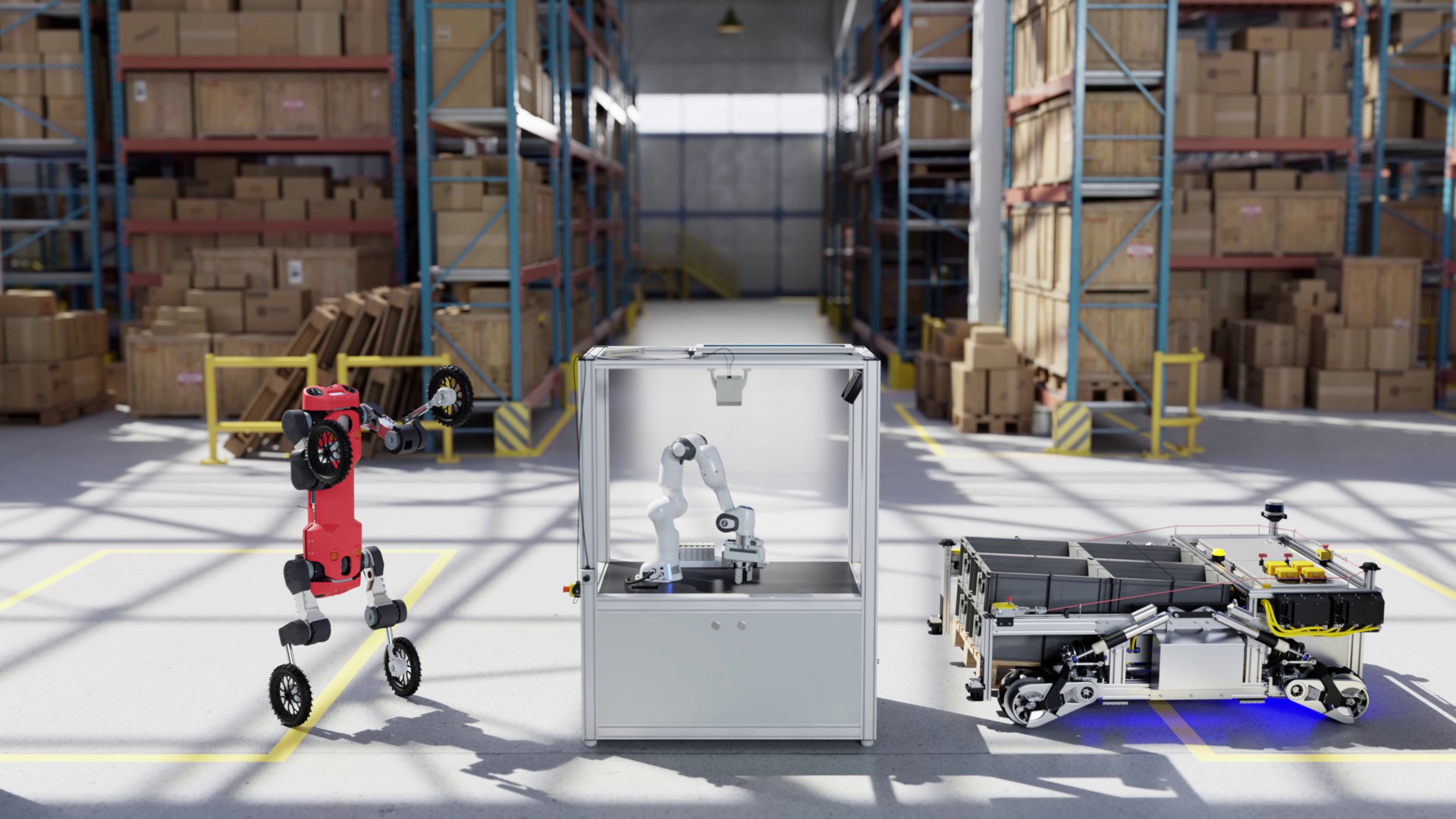
Generalist robot policies must operate across diverse tasks, embodiments, and environments, requiring scalable, repeatable simulation-based evaluation. Setting up large-scale policy evaluations is tedious and manual. Without a systematic approach, developers need to build high-overhead custom infrastructure, yet task libraries remain limited in complexity and diversity.
This post introduces NVIDIA Isaac Lab-Arena, an open source framework for efficient and scalable robotic policy evaluation in simulation. Co-developed with Lightwheel—a physical AI infrastructure company—as an extension to NVIDIA Isaac Lab, it provides streamlined APIs for task curation, diversification, and large-scale parallel evaluation. Developers can now prototype complex benchmarks without the overhead of system building. The post also presents an end-to-end sample workflow covering environment setup, optional policy post-training, and closed-loop evaluation.
Overview and key benefits of Isaac Lab-Arena
We are announcing the pre-alpha release of Isaac Lab-Arena and inviting the community to help shape its road map. We are also partnering with benchmark authors to implement and open source their evaluations on Isaac Lab-Arena, enabling a growing ecosystem of ready-to-use benchmarks and shared evaluation methods on a unified core.
The key benefits of Isaac Lab-Arena include simplified task curation, automated diversification, large-scale benchmarking, seamless integration with data generation and training, and more, as detailed below.
- Simplified task curation (0 to 1):
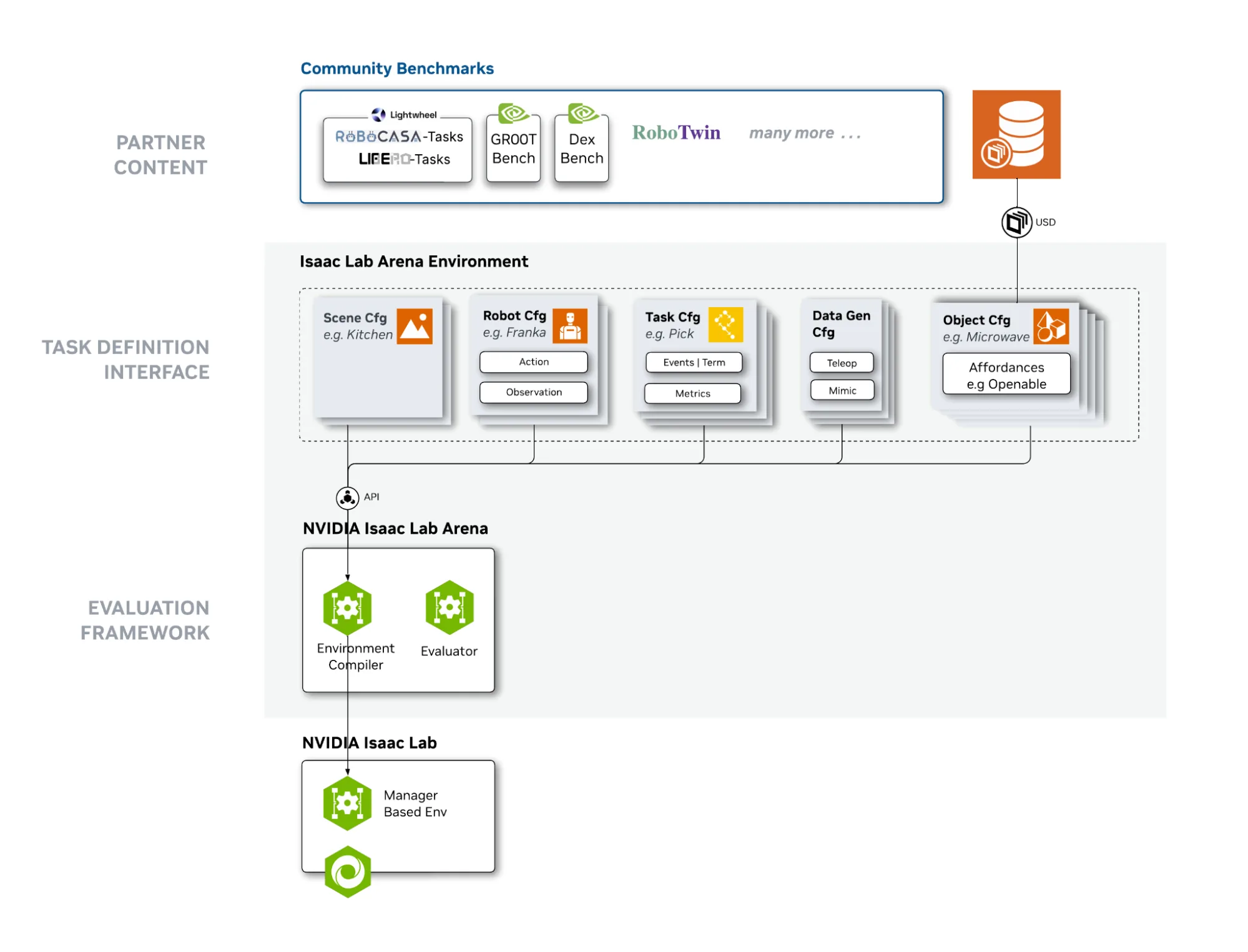
- Modular: Replaces monolithic task descriptions with a Lego-like architecture, compiling Isaac Lab environments on-the-fly from independent Object, Scene, Embodiment, and Task blocks.
- Generalizable: Standardized Interactions through an Affordance system (for example Openable, Pressable) enables tasks to scale across diverse objects.
- Extensible: Metrics and data recorded are extensible, providing users with fine-grained control over simulation and analytics if needed.
- Automated diversification (1 to many): Easily mix and match components, applying one task across different robots or objects—such as switching from a domestic soda can to an industrial pipe task—without rewriting code. In the future, the team aims to leverage foundation models to automate generation of diverse and realistic tasks.
- Large-scale parallel, policy-agnostic benchmarking: Evaluate any robotic policy across thousands of parallel environments for high-throughput, GPU-accelerated evaluations. The current version supports homogeneous parallel environments (with parameter variations).
- Access to community benchmarks and shared evaluation methods on a unified core.
- Open source with commercial license: Developers can freely use, distribute, and contribute to framework development.
- Seamless integration with data generation and training: While the core function of Isaac Lab-Arena is task setup and evaluation, it integrates tightly with data generation and training frameworks for a seamless closed-loop workflow. This includes Isaac Lab-Teleop, Isaac Lab-Mimic, and post-training and inference of NVIDIA Isaac GR00T N models.
- Flexible deployment: Deploy on local workstations or cloud-native environments (such as OSMO) for CI/CD, or integrate into leaderboards and distribution platforms such as LeRobot Environment Hub.
Ecosystem development
NVIDIA is partnering with benchmark authors to build their evaluations on Isaac Lab-Arena and publish sim-to-real validated evaluation methods, tasks, and datasets that the community can reuse and extend on a unified core. Coverage will span both industrial and research benchmarks across mobility, manipulation, and loco-manipulation.
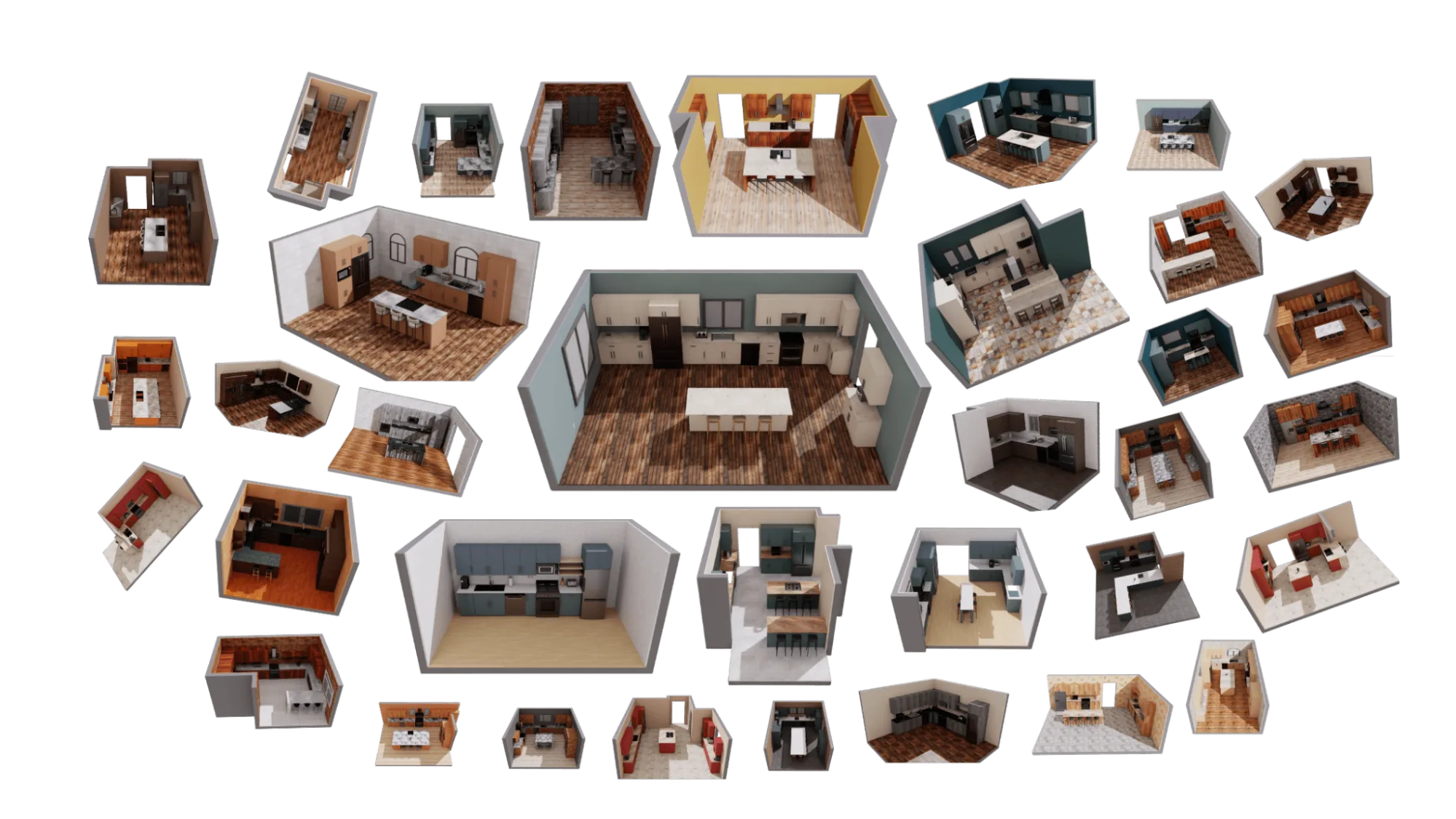
Lightwheel co-developed and has adopted the Isaac Lab-Arena framework to create and open-source 250+ tasks through the Lightwheel-RoboCasa-Tasks and Lightwheel-LIBERO-Tasks suites, with future efforts to establish them as benchmarks. Lightwheel is also developing RoboFinals, an industrial benchmark representative of complex real-world environments, using Isaac Lab-Arena.
Isaac Lab-Arena environments are now integrated on the Hugging Face LeRobot Environment Hub, where developers can seamlessly register custom environments built on IsaacLab-Arena and use the growing library of environments to post-train and evaluate robotic policies including Isaac GR00T N, pi0, SmolVLA. For more details, visit the LeRobot documentation.
NVIDIA is enabling millions of developers with open robotics models and datasets on Hugging Face, contributing to robotics becoming the fastest growing category on the platform.
RoboTwin is using Isaac Lab-Arena to build extended versions of RoboTwin 2.0, a large-scale embodied simulation benchmark, and other complex long-horizon benchmarks. An open source release is planned, with active development underway on research submissions and code updates.
In addition, NVIDIA Research labs such as the Generalist Embodied Agent Research Lab (GEAR) Lab is leveraging Isaac Lab-Arena to benchmark the Isaac GR00T N family of vision language action models for generalized humanoid reasoning and skills at scale.
NVIDIA Seattle Robotics Lab (SRL) is integrating its research on language-conditioned task suites and evaluation methods for the benchmarking of generalist robot policies into Isaac Lab-Arena.
Future Isaac Lab-Arena enhancements
The current pre-alpha release is intentionally an early framework skeleton with limited features giving contributors a practical starting point to experiment, share feedback, and influence future design and direction.
In the near future, core capabilities essential to building complex task libraries will be added, including object placement through natural language, composite tasking by chaining atomic skills, reinforcement learning task setup, and parallel heterogeneous evaluations (for example, different objects per parallel environment).
Further out, the team aims to explore more agentic and neural approaches to scale evaluation. Examples include leveraging NVIDIA Cosmos for world-model-driven neural simulation and scenario generation, as well as NVIDIA Omniverse NuRec for real-to-sim construction of simulation environments that mirror the real world. Community participation and feedback will be vital to shaping these developments.
How to set up tasks and evaluate policies at scale using Isaac Lab-Arena
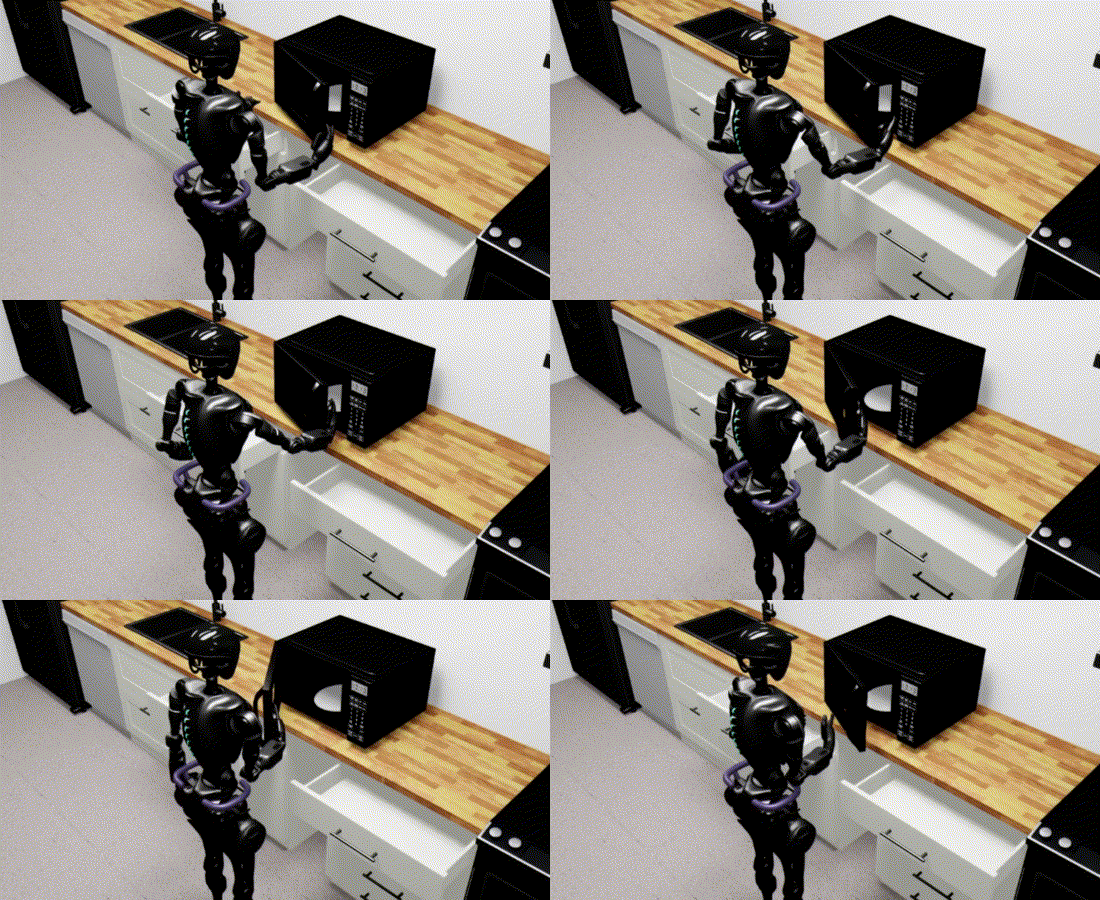
This section presents an end-to-end sample workflow to evaluate an Isaac GR00T N model on a manipulation skill—opening a microwave door—with the GR1 robot in Isaac Lab-Arena. It covers environment setup, optional policy post-training, and closed-loop evaluation.
Step 1: Environment creation and diversification
Follow the GR1 open microwave door task prerequisites to clone the repo and run the Docker container. Then, create an environment in Isaac Lab-Arena by stitching together Objects (Microwave) with Affordances (Openable, Pressable), in the Scene (Kitchen) with an Embodiment (GR-1 Robot) to perform a Task (OpenDoor). Users can optionally include configuration for Teleoperation-based data collection.
Procure assets:
background = self.asset_registry.get_asset_by_name("kitchen")()
microwave = self.asset_registry.get_asset_by_name("microwave")()
assets = [background, microwave]

embodiment = self.asset_registry.get_asset_by_name("gr1_pink")(enable_cameras=args_cli.enable_cameras)
teleop_device = self.device_registry.get_device_by_name("avp")()
For more details, see Assets Design and Affordances Design.
Position objects:
microwave_pose = Pose(
    position_xyz=(0.4, -0.00586, 0.22773),
    rotation_wxyz=(0.7071068, 0, 0, -0.7071068),
)
microwave.set_initial_pose(microwave_pose)
Compose the scene:
scene = Scene(assets=assets)
Create the task:
task = OpenDoorTask(microwave, openness_threshold=0.8, reset_openness=0.2)
Tasks encapsulate objectives, success criteria, along with termination logic, events and metrics. To learn more, see Task Design.
Finally, assemble all the pieces into a complete, runnable environment:
isaaclab_arena_environment = IsaacLabArenaEnvironment(
    name=self.name,
    embodiment=embodiment,
    scene=scene,
    task=task,
    teleop_device=teleop_device,
)
Next, run the environment using a test dataset.
Download a test dataset:
hf download \
    nvidia/Arena-GR1-Manipulation-Task \
    arena_gr1_manipulation_dataset_generated.hdf5 \
    --repo-type dataset \
    --local-dir $DATASET_DIR
Run the environment:
python isaaclab_arena/scripts/replay_demos.py \
  --device cpu \
  --enable_cameras \
  --dataset_file "${DATASET_DIR}/arena_gr1_manipulation_dataset_generated.hdf5" \
  gr1_open_microwave \
  --embodiment gr1_pink
The robot will replace NVIDIA-collected teleoperation data in order to open the microwave.
For comprehensive technical details and design principles to create new environments, consult the tutorial documentation.
Scale a task efficiently across robots, objects, and scene
This section provides several examples that show how to easily modify objects or robots in a task—without rebuilding the environment or pipeline.
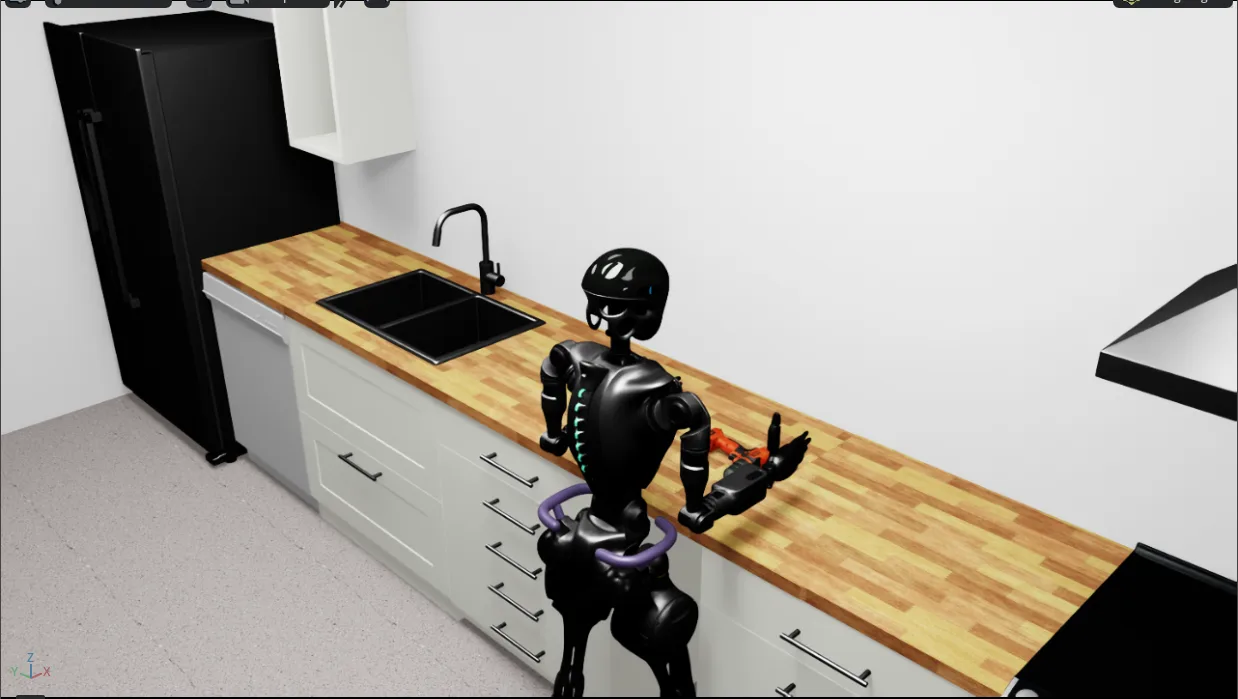
Example 1 – Change the object from microwave to power_drill:
background = asset_registry.get_asset_by_name("kitchen")()
embodiment = asset_registry.get_asset_by_name("gr1_pink")()
power_drill = asset_registry.get_asset_by_name("power_drill")()
assets = [background, power_drill]
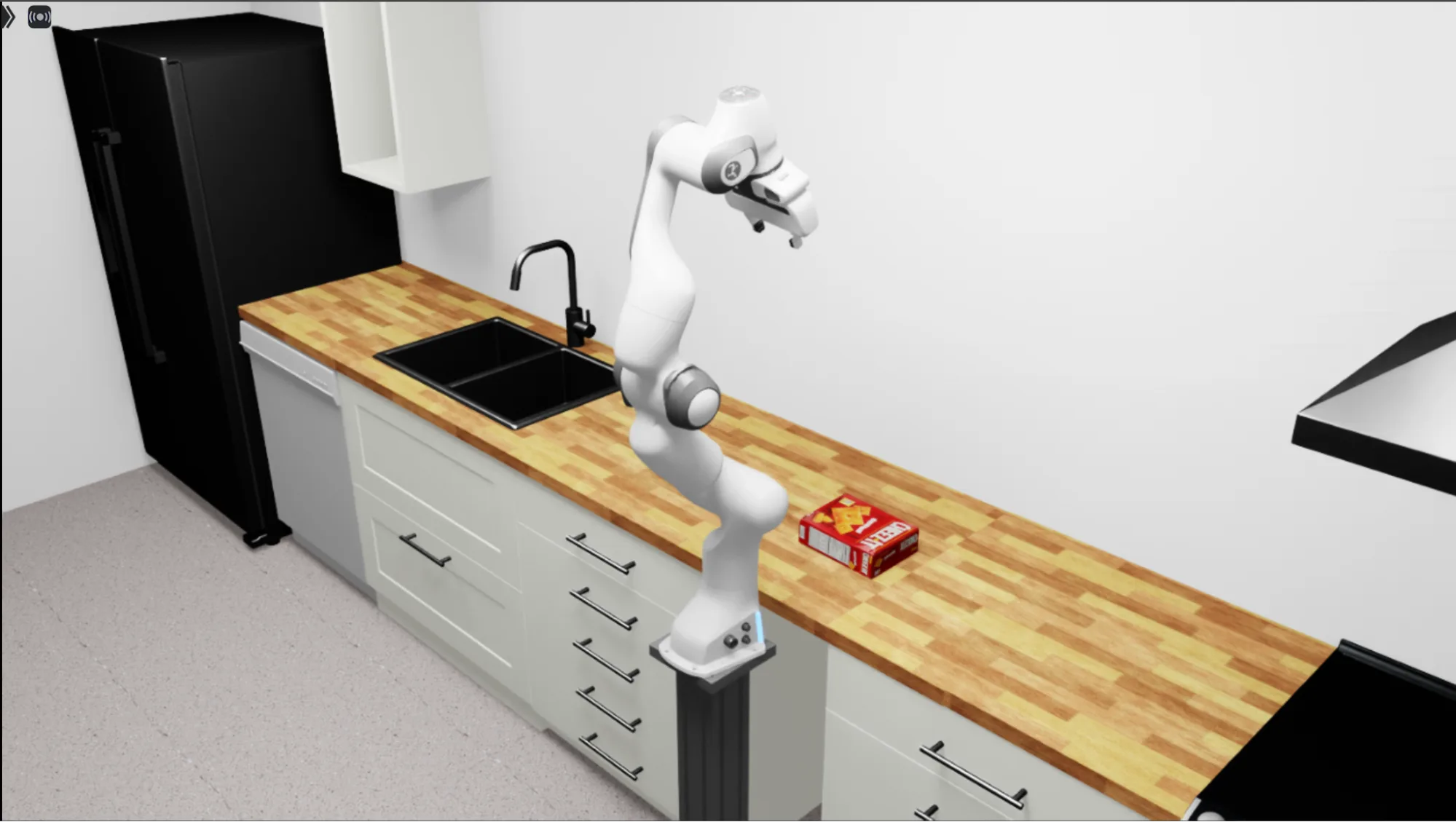
Example 2 – Change the embodiment from GR1 to Franka arm and the object to cracker_box:
background = asset_registry.get_asset_by_name("kitchen")()
embodiment = asset_registry.get_asset_by_name("franka")()
cracker_box = asset_registry.get_asset_by_name("cracker_box")()
assets = [background, cracker_box]
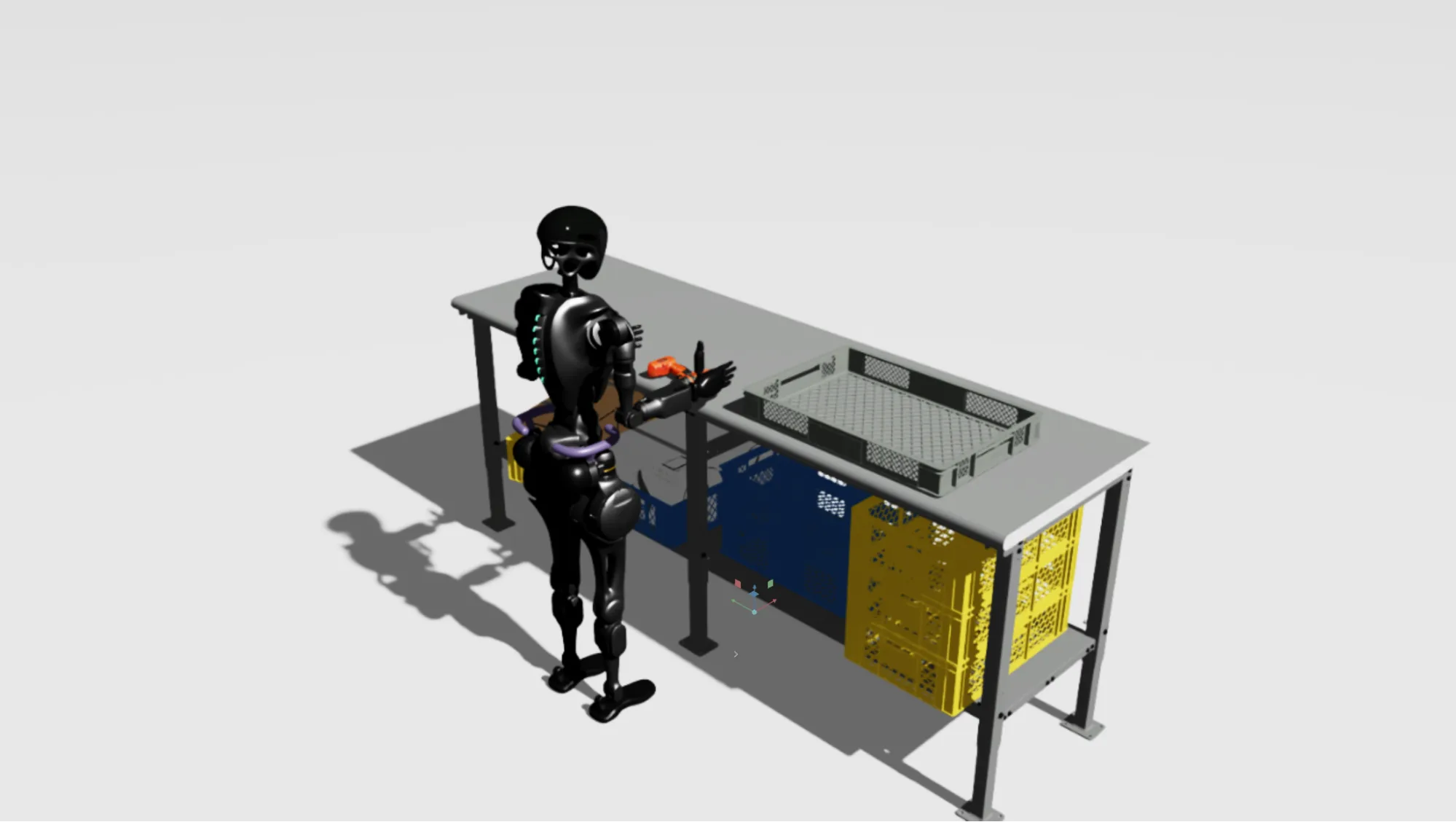
Example 3 – Change the background from a kitchen to an industrial packing table:
background = asset_registry.get_asset_by_name("packing_table")()
embodiment = asset_registry.get_asset_by_name("gr1_pink")()
cracker_box = asset_registry.get_asset_by_name("power_drill")()
assets = [background, cracker_box]
Step 2: Optional policy post-training
While Isaac Lab-Arena at its core focuses on task setup and policy evaluation, the Isaac Lab-Arena environment can seamlessly interoperate with data collection, data generation, and post-training if your policy needs to be post-trained prior to evaluation. You can:
- Collect demonstrations using Isaac Lab Teleop
- Scale demonstrations into a larger synthetic dataset using Isaac Lab Mimic
- Use the generated dataset to post-train the Isaac GR00T N model or any robotic policy of your choice
Step 3: Execute evaluations on parallel environments
The next step is to evaluate the trained policy. It is important to note that you can evaluate any trained robotic policy with the framework.
Option 1 – Test the policy in a single environment:
python isaaclab_arena/examples/policy_runner.py \
  --policy_type gr00t_closedloop \
  --policy_config_yaml_path isaaclab_arena_gr00t/gr1_manip_gr00t_closedloop_config.yaml \
  --num_steps 2000 \
  --enable_cameras \
  gr1_open_microwave \
  --embodiment gr1_joint
Option 2 – Test the policy in multiple parallel homogenous environments:
python isaaclab_arena/examples/policy_runner.py \
  --policy_type gr00t_closedloop \
  --policy_config_yaml_path isaaclab_arena_gr00t/gr1_manip_gr00t_closedloop_config.yaml \
  --num_steps 2000 \
  --num_envs 10 \
  --enable_cameras \
  gr1_open_microwave \
  --embodiment gr1_joint
Rapid policy evaluation results
With Isaac Lab-Arena’s GPU-accelerated parallel evaluation, robot developers can now get large-scale policy evaluation results in under one hour, slashing what was previously a full-day wait.
With Lightwheel, we evaluated the performance of Isaac Lab-Arena in parallel-environment mode against sequential-environment mode and the original MuJoCo (RoboCasa) implementation on a complex set of 10 RoboCasa tasks. The evaluation used the Isaac GR00T N1.5 policy across 4096 homogeneous environment variations per task on 8x6000D GPUs.
The results demonstrate a massive efficiency gain for VLA developers:
- Parallel evaluation on Isaac Lab-Arena took only 0.76 hours.
- This is 40x faster than sequential evaluation on Isaac Lab-Arena (34.9 hours).
More details about the performance on parallel environments are available here.
Get started with NVIDIA Isaac Lab-Arena
Isaac Lab-Arena pre-alpha is open source, and we invite you to help guide its future design and development. To get started with Isaac Lab-Arena pre-alpha, visit the GitHub repo and documentation.
- Share feedback by opening GitHub issues to report bugs or suggest feature and design improvements, and contribute by opening pull requests to propose changes.
- Create tasks or sim-to-real validated benchmarks on Isaac Lab-Arena and open source them to help build a shared ecosystem of ready‑to‑use robot learning tasks.
- Publish tasks to a leaderboard or evaluation hub like the LeRobot Environment Hub to make them discoverable and easy to run across shared pipelines and registries.
Stay up to date by subscribing to our newsletter and following NVIDIA Robotics on LinkedIn, Instagram, X, and Facebook. Explore NVIDIA documentation and YouTube channels, and join the NVIDIA Developer Robotics forum. To start your robotics journey, enroll in our free NVIDIA Robotics Fundamentals courses today.
Get started with NVIDIA Isaac libraries and AI models for developing physical AI systems.
Watch NVIDIA Live at CES to learn more.
Updated on Feb. 3 with information about Lightwheel’s performance results.