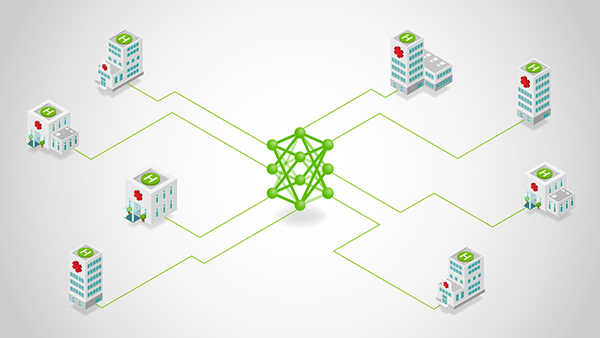
Federated learning (FL) is no longer a research curiosity—it’s a practical response to a hard constraint: the most valuable data is often the least movable. Regulatory boundaries, data sovereignty rules, and organizational risk tolerance routinely prevent centralized aggregation. Meanwhile, sheer data gravity makes even permitted transfers slow, expensive, and fragile at scale.
The latest version of NVIDIA FLARE addresses this reality with a federated computing runtime that moves the training logic to the data, while raw data stays put. In high-stakes environments, centrally aggregating data is often not possible or practical, so a modern federated platform must treat data isolation, compliance, and privacy-enhancing technologies as first-class requirements.
What has historically slowed adoption isn’t the concept of FL—it’s the developer experience. If the path from “my local script trains” to “my job runs across federated sites” requires deep refactoring, new class hierarchies, or brittle configuration, many projects stall after the pilot.
The FLARE API evolution targets exactly that: eliminating the refactoring overhead by splitting the work into two concrete steps that map cleanly onto how teams actually build and ship ML systems:
- Step 1 (client API): Turn an existing local training script into a federated client with ~5–6 lines of code, without changing your training loop structure.
- Step 2 (job recipes): Select the FL workflow and bind it to your client training script, then run the same job across simulation, PoC, and production by swapping only the execution environment.
‘No data copy’ as a system requirement
In regulated or high-sensitivity settings, “just centralize the dataset” is increasingly off the table. A practical federated computing platform needs to support:
- No data copy: Data stays local, and only model updates (or equivalent signals) move.
- Compliance posture: Deployment and governance controls that support sovereignty and audit requirements.
- Privacy-enhancing techniques: Multiple layers of defenses (examples include homomorphic encryption, differential privacy, and confidential computing).

The refactoring cliff: Why FL projects stall
Teams typically hit one of two cliffs after the pilot:
- The code cliff: Converting working PyTorch/TensorFlow/Lightning training into FL can require invasive restructuring—new abstractions, messaging glue, and framework-specific scaffolding.
- The lifecycle cliff: Even when simulation works, moving to PoC and production triggers rewrites via job redefinition, reconfiguration, and environment-specific branching.
FLARE flattens both cliffs by standardizing the workflow into two steps:
- Make your script federated (client API)
- Execute it as a portable job (job recipe)
The intended experience is explicitly to combine these so you can go from zero to an operational federated job quickly.
Step 1: Convert your local training script into a federated client (client API)
Who it’s for: Practitioners and ML engineers with existing training code who want the smallest possible difference.
The mental model is intentionally simple:
- Initialize the client runtime
- Loop while the job is running
- Receive the current global model
- Train locally (your code)
- Send updated weights + metrics back
FLARE’s client API is designed for minimal code changes and avoids forcing you into heavy “Executor/Learner” inheritance—use the FLModel structure or simple data exchange to communicate with the runtime.
Example 1a: Convert PyTorch to FLARE
Below is a concrete pattern you can apply to many scripts. The key touchpoints are: flare.init(), flare.receive(), loading model weights, and flare.send() with updated weights and metrics.
We show the local training code on the left and the federated version on the right, highlighting: import, flare.init(), receive(), send().
Example 1b: PyTorch Lightning client The Lightning integration keeps the same
The Lightning integration keeps the same intent—receive global model, train, send updates—but exposes it in a Lightning-friendly way: import the Lightning client adapter and patch the Trainer.
The typical flow is: import, patch, (optional) validate, train as usual.
# lightning_client.py
import pytorch_lightning as pl
from pytorch_lightning import Trainer

import nvflare.client.lightning as flare  # Lightning Client API

from model import LitNet
from data import CIFAR10DataModule
def main():
   model = LitNet()
   dm = CIFAR10DataModule()

   trainer = Trainer(max_epochs=1, accelerator="gpu", devices=1)

   # Patch trainer to participate in FL
   flare.patch(trainer)

   while flare.is_running():
       # Optional: validate current global model (useful for server-side selection flows)
       trainer.validate(model, datamodule=dm)

       # Train starting from received global model (handled internally after patch)
       trainer.fit(model, datamodule=dm)


if __name__ == "__main__":
   main()
The point: Lightning users don’t have to drop into custom federated messaging—they keep the Trainer abstraction and still participate correctly in FL rounds.
Step 2: Package and execute the federated job anywhere (job recipes)
Who it’s for: Data scientists and applied teams who want a code-first job definition that remains stable across environments.
After step 1, you have a federated client script. Step 2 makes it a federated job you can run repeatedly and move through the lifecycle cleanly.
Job recipes are designed to replace JSON-based job configuration with a Python-based job definition:
- Code-first: Define complete FL jobs in Python, not complex config files
- Write once, run anywhere: Same recipe runs in simulator, PoC, or production
- Speed to deployment: Go from experimentation to deployment without changing code structure
Example 2a: Execute a FedAvg recipe in simulation
The key linkage is that your recipe references the client training script you created in step 1 (e.g., train_script="client.py"), then you execute it in an environment.
# job.py
from nvflare.app_common.workflows.job import FedAvgRecipe
from nvflare.job_config import SimEnv  # exact import path can vary by NVFlare version

from model import SimpleNetwork

def main():
   n_clients = 3
   num_rounds = 5
   batch_size = 32

   recipe = FedAvgRecipe(
       name="hello-pt",
       min_clients=n_clients,
       num_rounds=num_rounds,
       model=SimpleNetwork(),
       train_script="client.py",  # <-- Step A script
       train_args=f"--batch_size {batch_size} --epochs 1",
   )

   env = SimEnv(num_clients=n_clients, num_threads=n_clients)
   recipe.execute(env=env)

if __name__ == "__main__":
   main()
This is the “write once” idea in practice: Once the recipe correctly references your client script, the rest becomes an execution concern.
Example 2b: Move from simulation to real-world with an environment swap.
Job recipes formalize a progressive workflow by swapping the execution environment:
- SimEnv (Simulation): Easy development, rapid debugging
- PocEnv (Proof-of-Concept): Local runtime, multi-process, realistic testing
- ProdEnv (Production): Distributed deployment on secure, scalable infrastructure

Getting started
- Start with a script you already trust.
- Step 1: Add the client API handshake (or patch your Lightning Trainer).
- Step 2: Wrap it in a job recipe and execute first in simulation, then PoC, then production by swapping environments.
FLARE in the News
FLARE is showing up in real deployments—from Eli Lilly TuneLab’s federated learning platform (built by Rhino Federated Computing using NVFlare) to Taiwan MOHW’s national healthcare federated learning initiative, and a Tri-labs (Sandia/LANL/LLNL) federated AI pilot across sensitive datasets.
Going further
Start with a script you already trust. Add the minimal FLARE client handshake (receive → train → send). Then scale from single-node simulation to multi-site deployment when you’re ready.
- Start here: Hello World examples (fastest path to your first federated run) — NVFlare Hello World
- Watch the walkthrough: see the simplified API stack in action — Webinar recording
- Client API docs
- JobRecipe docs
- NVFlare on GitHub