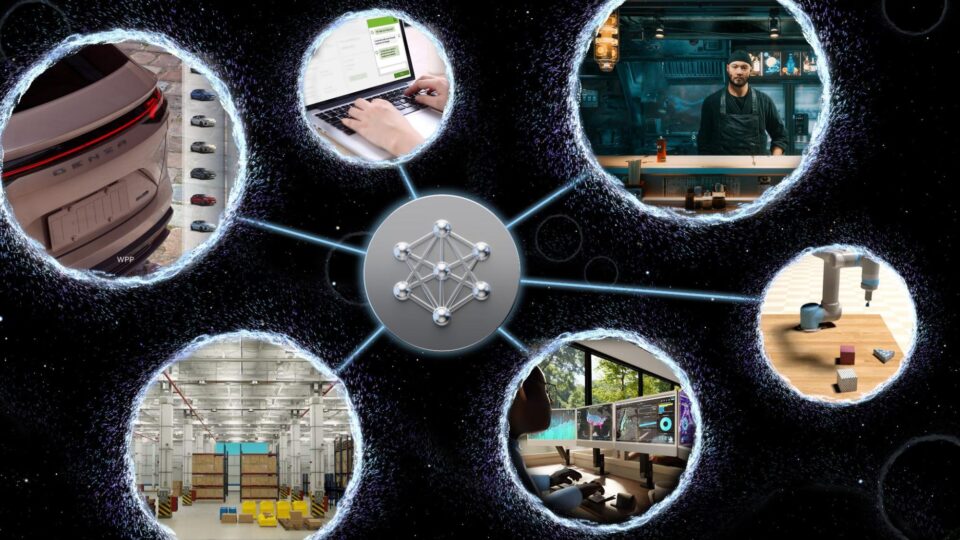
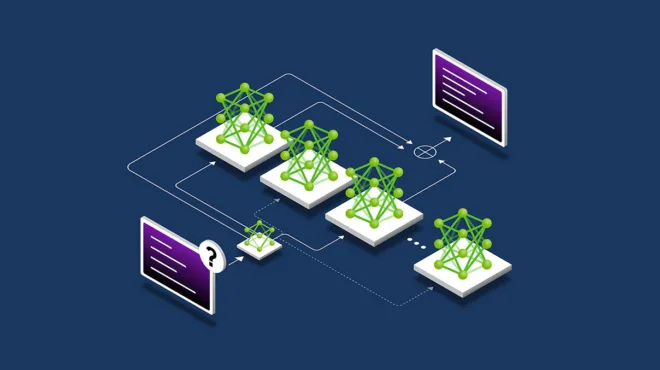
Specialized AI models are built to perform specific tasks or solve particular problems. But if you’ve ever tried to fine-tune or distill a domain-specific model, you’ve probably hit a few blockers, such as:
- Not enough high-quality domain data, especially for proprietary or regulated use cases
- Unclear licensing rules around synthetic data and distillation
- High compute costs when a large model is excessive for targeted tasks
- Slow iteration cycles that make it difficult to reach production-level ROI
These challenges often prevent promising AI projects from progressing beyond the experimental phase.
This post walks you through how to remove all four of these blockers using a production-ready, license-safe synthetic data distillation pipeline.
Quick links
- Nemotron 3 Nano on OpenRouter
- NeMo Data Designer open source library
- NeMo Data Designer: Product Information Dataset Generator with Q&A example
- Distillable Models and Synthetic Data Pipelines with NeMo Data Designer
Open source tools for a synthetic data and distillation pipeline
The open source tools used in this walkthrough include OpenRouter, which simplifies model access, and distillable endpoints, which remove uncertainty around distillation eligibility. In parallel, NVIDIA NeMo Data Designer enables you to define data generation pipelines as code—making datasets reproducible, scalable, inspectable, and easy to evolve as requirements change.
Together, these tools make model specialization accessible to any developer, not just teams with massive datasets or long legal reviews. The result is production-ready specialized models—without compliance risk or unnecessary cost.
What you’ll build in this tutorial
This tutorial walks you through a complete, repeatable workflow for building a compliant synthetic data and distillation pipeline, even when real data is scarce or sensitive.
Specifically, you’ll learn how to:
- Generate realistic, domain-specific product data and Q&A pairs using NeMo Data Designer, seeded from a small catalog and structured prompts
- Control data diversity and structure using schema definitions, samplers, and templated prompts
- Automatically score and filter synthetic data for quality with an LLM-as-a-judge rubric that measures answer completeness and accuracy
- Produce a clean, license-safe dataset ready for downstream distillation or fine-tuning workflows through OpenRouter distillable endpoints
While this walkthrough uses a product Q&A example, the same pattern applies to enterprise search, support bots, internal tools, and other domain workloads.
You’ll generate synthetic data and question-answer pairs from a small seed catalog. The output is a structured dataset containing product names, descriptions, prices, and Q&A pairs. To see the full NeMo Data Designer: Product Information Dataset Generator with Q&A example, visit the NVIDIA/GenerativeAIExamples GitHub repo.
To ensure data quality, you’ll also apply an LLM-as-a-judge approach to automatically score and filter generated outputs. In production, you might use a separate evaluation, but for simplicity, this walkthrough uses the same model for both generation and evaluation.

Building a synthetic product Q&A dataset
This section walks you through the steps involved in building a synthetic product Q&A dataset.
Initial setup
First, install the NVIDIA Data Designer library:
pip install data-designer==0.4.0
Then import the required libraries:
import data_designer.config as dd
from data_designer.interface import DataDesigner
Next, create a model profile and initialize the Data Designer client:
# We set trainable text to true here
model_provider = dd.ModelProvider(
    name = "deepinfra",
    endpoint = "https://openrouter.ai/api/v1/",
    provider_type = "openai",
    api_key = Open_Router_Api_Key,
    extra_body={
        "provider": {
            "enforce_distillable_text": True,
            # optionally, prefer DeepInfra endpoints
            "only": ["deepinfra"]
        }
    }
)

data_designer_client = DataDesigner(model_providers=[model_provider])
In this step, the NVIDIA Nemotron 3 Nano model is served through OpenRouter and routed to DeepInfra. Distillable enforcement is enabled to ensure all generated data is license-safe for downstream training and distillation.
Next, define generation model configurations and inference parameters:
model_alias="nemotron-3-nano-30b-a3b"

inference_parameters = dd.ChatCompletionInferenceParams(
    temperature=0.5,
    top_p=0.9,
    max_tokens=10000,
    max_parallel_requests=10,  # Number of concurrent workers
    extra_body={
        "reasoning": {"enabled": False}
    },
)

model_configs = [
    dd.ModelConfig(
        alias=model_alias,
        model="nvidia/nemotron-3-nano-30b-a3b",
        provider="deepinfra",
        inference_parameters=inference_parameters
        )
]
This walkthrough uses Nemotron 3 Nano for synthetic data generation. Nemotron 3 Nano is the latest NVIDIA hybrid Mamba MOE reasoning model, optimized for complex data structures and efficient scaling.
The pipeline builds synthetic Q&A data in three layers: input seeds, generation, and evaluation.
Design the target dataset schema
Before writing any pipeline code, it’s important to define what the final dataset should look like. This determines which parts require LLM generation, which require sampling, and how everything fits together.
The goal here is to produce a structured, distillation-ready product Q&A dataset with the following characteristics:
- Each row represents a single product example
- Fields include both grounded product attributes and generated natural-language content
- The dataset supports quality filtering before downstream training or distillation
At a high level, each record contains:
- Seed attributes (category, price range, naming constraints)
- Structured product metadata (name, features, description, price)
- User-facing language (questions and answers)
- Quality scores (accuracy and completeness)
This schema-first approach ensures the dataset is reproducible, inspectible, and aligned with downstream training requirements.
Map the dataset schema to generation strategies
With the target dataset schema defined, the next step is to map each column to an appropriate generation strategy. Some fields require controlled randomness, others require structured LLM outputs, and others exist purely to evaluate quality. NVIDIA Data Designer provides a declarative way to express these choices as code:
config_builder = dd.DataDesignerConfigBuilder(model_configs=model_configs)
Each column in the dataset falls into one of three categories:
- Seed and control columns, generated through sampling to ensure diversity
- Content columns, generated by LLMs using structures prompts
- Evaluation columns, used to score and filter output quality
Add sampler columns to control diversity
These sampled columns define the controllable dimensions of the dataset and ensure coverage across categories, prices, and naming patterns without relying on LLM randomness alone:
import string
from pydantic import BaseModel
from pydantic import Field

# Define product category options
config_builder.add_column(
    dd.SamplerColumnConfig(
        name="category",
        sampler_type=dd.SamplerType.CATEGORY,
        params=dd.CategorySamplerParams(
            values=[
                "Electronics",
                "Clothing",
                "Home Appliances",
                "Groceries",
                "Toiletries",
                "Sports Equipment",
                "Toys",
                "Books",
                "Pet Supplies",
                "Tools & Home Improvement",
                "Beauty",
                "Health & Wellness",
                "Outdoor Gear",
                "Automotive",
                "Jewelry",
                "Watches",
                "Office Supplies",
                "Gifts",
                "Arts & Crafts",
                "Baby & Kids",
                "Music",
                "Video Games",
                "Movies",
                "Software",
                "Tech Devices",
            ]
        ),
    )
)

# Define price range to seed realistic product types
config_builder.add_column(
    dd.SamplerColumnConfig(
        name="price_tens_of_dollars",
        sampler_type=dd.SamplerType.UNIFORM,
        params=dd.UniformSamplerParams(low=1, high=200),
    )
)

config_builder.add_column(
    dd.ExpressionColumnConfig(
        name="product_price",
        expr="{{ (price_tens_of_dollars * 10) - 0.01 | round(2) }}",
        dtype="float",
    )
)

# Generate first letter for product name to ensure diversity
config_builder.add_column(
    dd.SamplerColumnConfig(
        name="first_letter",
        sampler_type=dd.SamplerType.CATEGORY,
        params=dd.CategorySamplerParams(values=list(string.ascii_uppercase)),
    )
)

# Determine if this example will include hallucination
config_builder.add_column(
    dd.SamplerColumnConfig(
        name="is_hallucination",
        sampler_type=dd.SamplerType.BERNOULLI,
        params=dd.BernoulliSamplerParams(p=0.5),
    )
)
Add LLM-generated columns
For columns that require natural language or structural semantic content, use LLM-backed generation with explicit output schema. This ensures consistency across records and makes the dataset suitable for downstream training and evaluation.
When constructing the dataset, it’s important to recognize that LLM-generated columns don’t exist in isolation—they are intentionally conditioned on earlier sampler and seed columns, which inject controlled diversity into the generation process.
When prompting the LLM, Jinja templating is used to reference values from other columns in the dataset, such as sampled categories, prices, or naming constraints. These inputs directly shape the LLM’s outputs, allowing diversity to be introduced systematically rather than relying on prompt randomness alone. Nested JSON fields can also be accessed using dot notation, enabling structured outputs to flow naturally through the pipeline.
For example, the structured ProductInfo output is conditioned on sampled values like product category, product_price, and name constraints. This ensures that diversity introduced upstream propagates consistently through all LLM-generated fields.
# Define product information structure
class ProductInfo(BaseModel):
    product_name: str = Field(
        ..., description="A realistic product name for the market."
    )
    key_features: list[str] = Field(
        ..., min_length=1, max_length=3, description="Key product features."
    )
    description: str = Field(
        ...,
        description="A short, engaging description of what the product does, highlighting a unique but believable feature.",
    )
    price_usd: float = Field(..., description="The stated price in USD.")


# Generate product information
config_builder.add_column(
    dd.LLMStructuredColumnConfig(
        name="product_info",
        model_alias=model_alias,
        prompt=(
            "Generate a realistic product description for a product in the {{ category }} "
            "category that costs {{ product_price }}.\n"
            "The name of the product MUST start with the letter {{ first_letter }}.\n"
        ),
        output_format=ProductInfo,
    )
)

# Generate user questions about the product
config_builder.add_column(
    dd.LLMTextColumnConfig(
        name="question",
        model_alias=model_alias,
        prompt=("Ask a question about the following product:\n\n {{ product_info }}"),
    )
)


# Generate answers to the questions
config_builder.add_column(
    dd.LLMTextColumnConfig(
        name="answer",
        model_alias=model_alias,
        prompt=(
            "{%- if is_hallucination == 0 -%}\n"
            "<product_info>\n"
            "{{ product_info }}\n"
            "</product_info>\n"
            "{%- endif -%}\n"
            "User Question: {{ question }}\n"
            "Directly and succinctly answer the user's question.\n"
            "{%- if is_hallucination == 1 -%}\n"
            "Make up whatever information you need to in order to answer the user's request.\n"
            "{%- endif -%}"
        ),
    )
)
Quality assessment with LLM-as-a-judge
LLM-as-a-judge is used to ensure data quality. Clear evaluation rubrics allow generated answers to be scored for completeness and accuracy before downstream use.
# Define evaluation rubrics for answer quality
CompletenessRubric = dd.Score(
    name="Completeness",
    description="Evaluation of AI assistant's thoroughness in addressing all aspects of the user's query.",
    options={
        "Complete": "The response thoroughly covers all key points requested in the question, providing sufficient detail to satisfy the user's information needs.",
        "PartiallyComplete": "The response addresses the core question but omits certain important details or fails to elaborate on relevant aspects that were requested.",
        "Incomplete": "The response significantly lacks necessary information, missing major components of what was asked and leaving the query largely unanswered.",
    },
)

AccuracyRubric = dd.Score(
    name="Accuracy",
    description="Evaluation of how factually correct the AI assistant's response is relative to the product information.",
    options={
        "Accurate": "The information provided aligns perfectly with the product specifications without introducing any misleading or incorrect details.",
        "PartiallyAccurate": "While some information is correctly stated, the response contains minor factual errors or potentially misleading statements about the product.",
        "Inaccurate": "The response presents significantly wrong information about the product, with claims that contradict the actual product details.",
    },
)


# Evaluate answer quality
config_builder.add_column(
    dd.LLMJudgeColumnConfig(
        name="llm_answer_metrics",
        model_alias=model_alias,
        prompt=(
            "<product_info>\n"
            "{{ product_info }}\n"
            "</product_info>\n"
            "User Question: {{question }}\n"
            "AI Assistant Answer: {{ answer }}\n"
            "Judge the AI assistant's response to the user's question about the product described in <product_info>."
        ),
        scores=[CompletenessRubric, AccuracyRubric],
    )
)


# Extract metric scores for easier analysis
config_builder.add_column(
    dd.ExpressionColumnConfig(
        name="completeness_result",
        expr="{{ llm_answer_metrics.Completeness.score }}",
    )
)

config_builder.add_column(
    dd.ExpressionColumnConfig(
        name="accuracy_result",
        expr="{{ llm_answer_metrics.Accuracy.score }}",
    )
)
Preview the dataset
To inspect the dataset before scaling, generate a small preview and load the results into a pandas DataFrame:
preview = data_designer_client.preview(config_builder)

# Display one record
preview.display_sample_record()
Table 1 lists example synthetic product Q&A records showing input seed attributes (category, price, hallucination flag), LLM-generated details and Q&A, and LLM-as-a-judge quality scores for accuracy and completeness.
| Field Name | Value / Generated content |
| Category (seed) | Clothing |
| Start letter (seed) | D |
| Hallucination flag | 1 (Creative mode enabled) |
| Product name | Driftwood Luxe Cashmere Blend Sweater |
| Product price | $545.57 |
| User question | What makes the Driftwood Luxe Cashmere Blend Sweater uniquely suited for both urban sophistication and outdoor adventures…? |
| AI answer | The sweater combines ethically sourced cashmere with merino wool and recycled nylon… its water‑repellent finish and articulated seam construction give it the performance needed for hiking and skiing… |
| — | — |
| Accuracy score | ⚠️ Partially Accurate |
| Accuracy reasoning | The answer correctly describes the sweater’s luxury ethos but fabricates material components (merino wool, recycled nylon) and overstates performance claims (hiking, skiing) not present in the provided product info. |
| Completeness score | ⚠️ Partially Complete |
| Completeness reasoning | The response addresses urban sophistication and ethical sourcing but introduces unmentioned materials and omits the specific “hidden interior pockets” mentioned in the product source. |
Scale up data generation
Once the schema and quality checks look good, generate a larger dataset by increasing the number of records:
job_results = data_designer_client.create(config_builder, num_records=100)
dataset = job_results.load_dataset()
Save the results
Finally, save the generated dataset as a pandas DataFrame for downstream training, evaluation, or distillation workflows:
from pathlib import Path

Folder_Name = "data-designer-tutorial-output"
File_Name = "dataset_OR.csv"

TUTORIAL_OUTPUT_PATH = Path(Folder_Name)
TUTORIAL_OUTPUT_PATH.mkdir(parents=True, exist_ok=True)

dataset.to_csv(TUTORIAL_OUTPUT_PATH / File_Name, index=False)
Workflow benefits
By combining OpenRouter with NVIDIA open source tooling, developers unlock a faster, safer path to model specialization:
- Built-in compliance: License-safe synthetic data generation using distillable endpoints
- High-quality domain data, fast for task-specific models: Rapid creation of structured, domain-specific datasets with NeMo Data Designer for shorter customization cycles for enterprise-ready, task-specific models
This workflow enables you to bypass generic LLMs and build specialized models that understand domain rules, interpret high-level goals, and support complex workflows.
Get started with distillation-ready synthetic datasets
This tutorial focused on how to design and generate a distillation-ready synthetic dataset. To get started—and take resulting data into the next stages of model training, distillation and deployment—check out the following resources:
- Nemotron 3 Nano: Open, efficient reasoning model approved for distillation workflows and well-suited as teacher models
- NVIDIA NeMo Data Designer: Open source tooling for defining, versioning, and scaling synthetic data pipelines
- OpenRouter Distillation Guide: Practical guidance for distilling and serving task-optimized models through a unified API
- NeMo Data Designer: Product Information Dataset Generator with Q&A example: A runnable end-to-end example you can adapt to your own schema and domain
- Distillable Models and Synthetic Data Pipelines with NeMo Data Designer: Overview of OpenRouter license-safe synthetic data generation and distillation support with NVIDIA NeMo Data Designer
Stay up-to-date on NVIDIA Nemotron by subscribing to NVIDIA news and following NVIDIA AI on LinkedIn, X, Discord, and YouTube. Visit the Nemotron developer page for everything you need to get started with the most open, smartest-per-compute reasoning models available.