
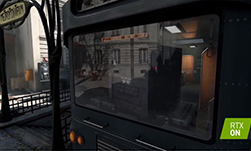
Earlier this year at GTC Digital, engineers from MachineGames and NVIDIA presented how they leveraged the latest in ray traced reflections to create bleeding edge visuals in MachineGame’s title, Wolfenstein Youngblood. Wolfenstein Youngblood is one of the first Vulkan-based game engines to bring RTX technology to market, and their findings can help game developers bring RTX technology to market.
At launch, Wolfenstien Youngblood was optimized with a forward plus rendering method. The obvious next step was to add ray tracing. This made a big difference in the look and feel of the game; when light behaves realistically, players feel like they’re exploring a real place, instead of a computer-generated set.
“With ray tracing enabled hardware, a rich detailed real-time reflection can be seen, which grounds the glass in a much more believable way then previously possible,” said Patrik Willbo, Lead Game Developer at MachineGames.
Watch the first five minutes of this session presented at GTC Digital to learn how both teams managed materials for hit shading in a forward renderer to denoising results.
(note: you must register for the NVIDIA Developer Program to view the full video).
To learn more about Vulkan or to see sample code, articles, and more, visit our page here.
