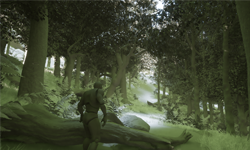
Ray tracing in Unreal Engine 4 (UE4) is powerful and flexible, allowing game developers, designers, and artists to render visuals in real-time. The engine also enables developers to mix and match ray tracing and raster techniques.
Creating content for ray tracing involves some new considerations, especially when fine tuning.
During this talk presented at GTC Digital earlier this year, NVIDIA’s Richard Cowgill, creator of Stay in the Light, guides game developers in designing content for ray traced content in UE4. He also shares best practices for materials, meshes, LOD and animated foliage.

To learn more, Cowgill will be presenting a live webinar on August 5, 2020, about the topic. During the webinar, he will guide game developers through a sample project, explaining how to get great results with real-time ray-traced reflections, global illumination, shadows, and more. In addition, we’ll take a look at upcoming ray tracing features in Unreal Engine 4.
All live webinar attendees will be entered into a drawing for a chance to win one NVIDIA TITAN RTX GPU. Note, you must attend the entire webinar to be eligible.