Flashing Renesas from Windows Host with Renesas Flash Programmer#
Note
In order to use RFP, switch Renesas MCU into RFP mode by sending commands from TOPO MCU console. The TOPO console is a ttyACM device that shows up on the Linux host; it is usually ttyACM4 (if SoC is on ttyACM0, it is on ttyACM4).
Execute the following commands to enter RFP mode:
gpio_config set 12 1 1
gpio_config set 13 1 1
i2c w 0x74 0x7 0xfc
i2c w 0x74 0x3 0xfe
i2c w 0x74 0x6 0xbe
i2c w 0x74 0x2 0xff
Execute below commands to resume normal operation:
gpio_config set 12 1 0
i2c w 0x74 0x6 0xfd
i2c w 0x74 0x2 0xfd
i2c w 0x74 0x2 0xff
Step 1: Target Setup#
On P3960:
Eqos_0 must be connected to the Linux host machine.
Jtag must be connected to the Windows host machine.
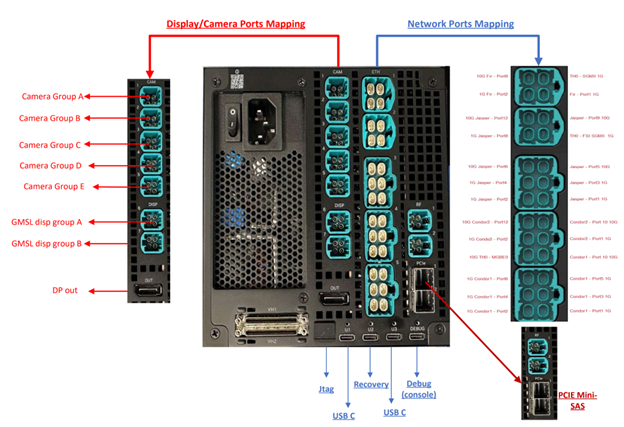
You should see a list of /dev/ttyACM. Usually MCU is the 2nd in the list of /dev/ttyACM, which is /dev/ttyACM2 if starting from /dev/ttyACM0. You should find the MCU console first before flashing.
Step 2: Host Setup#
Use a Windows machine for this upgrade.
Download and install the latest Renesas Flash Programmer.
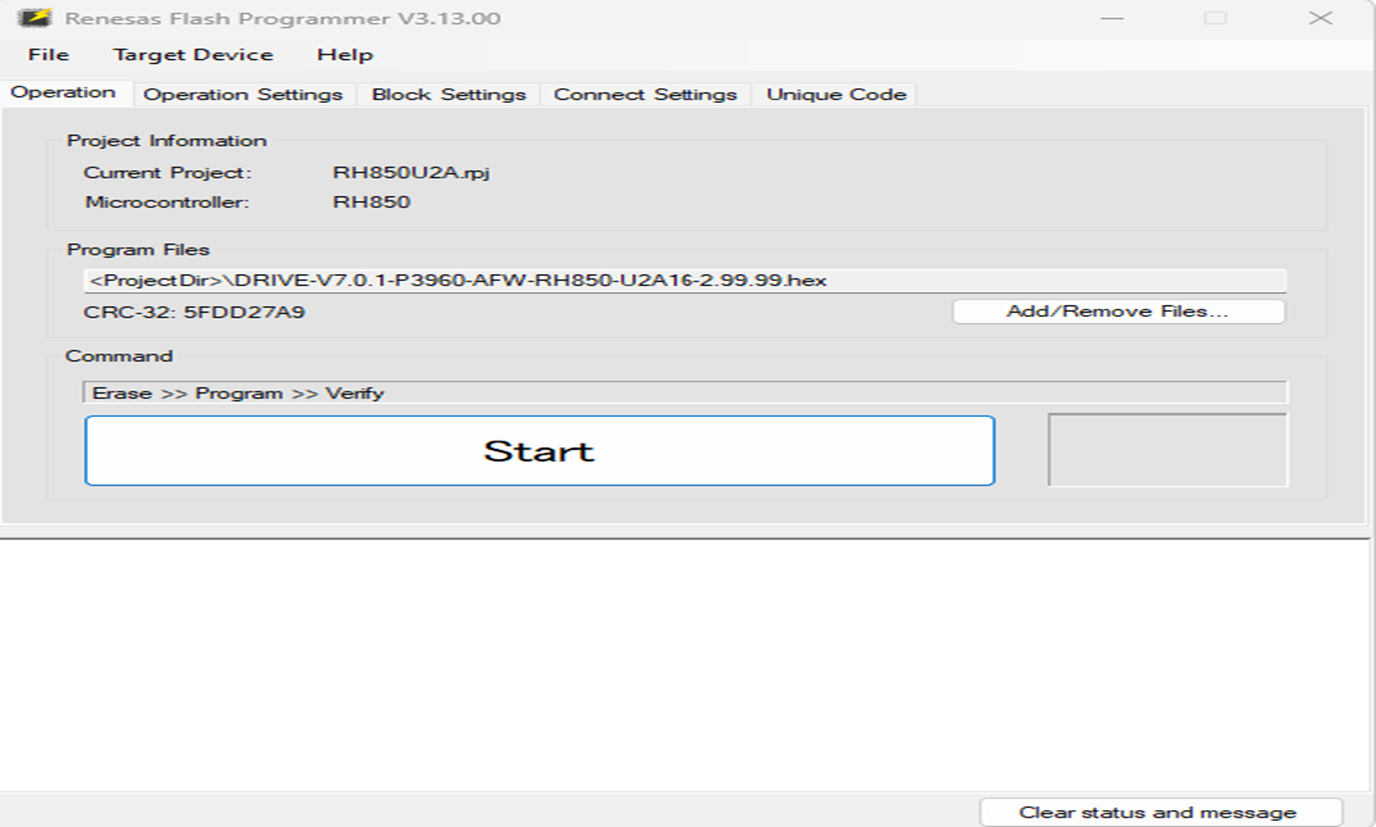
Load the project: File -> Open Project -> RH850U2A.rpj The project is part of the release package
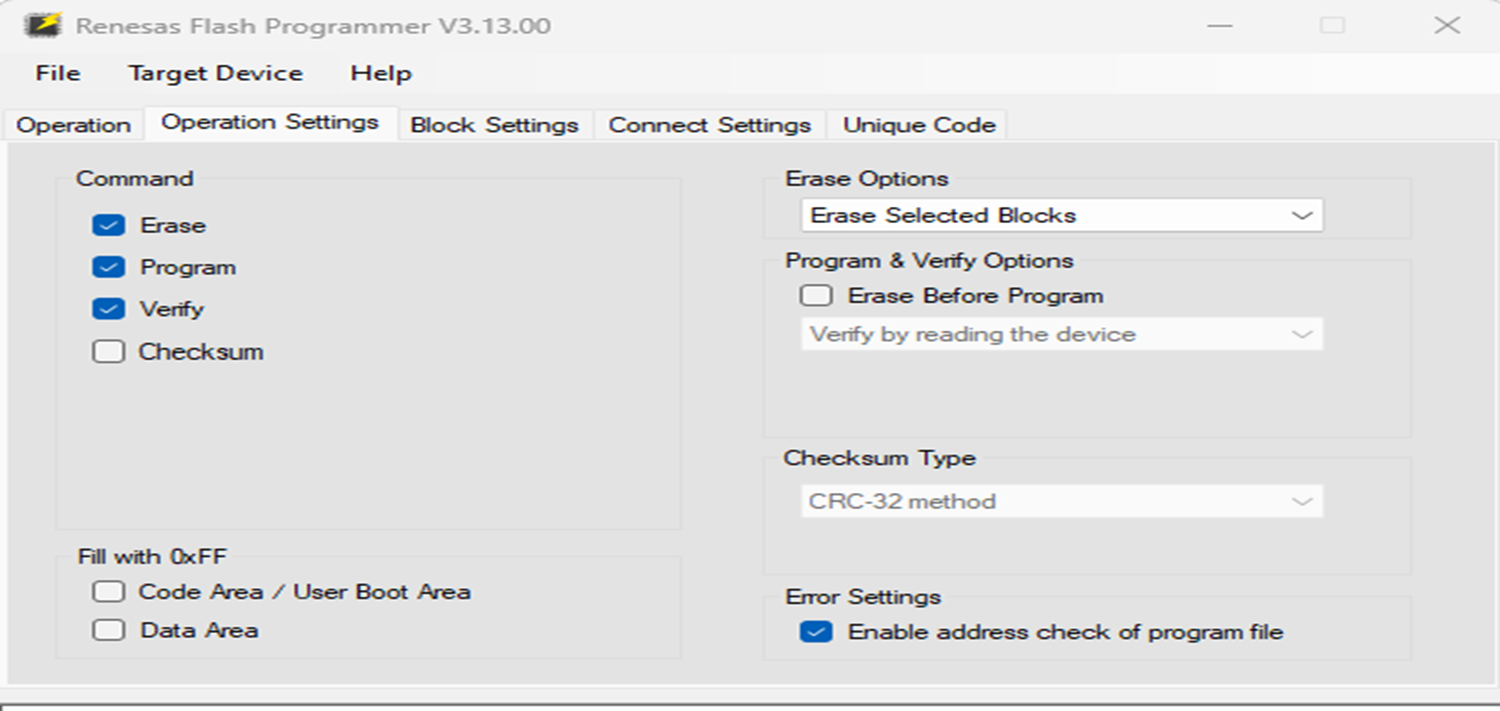
DRIVE-V7.x.x-P3960-AFW-RH850-U2A16.zip.Update the Operation settings in the tool as shown below:
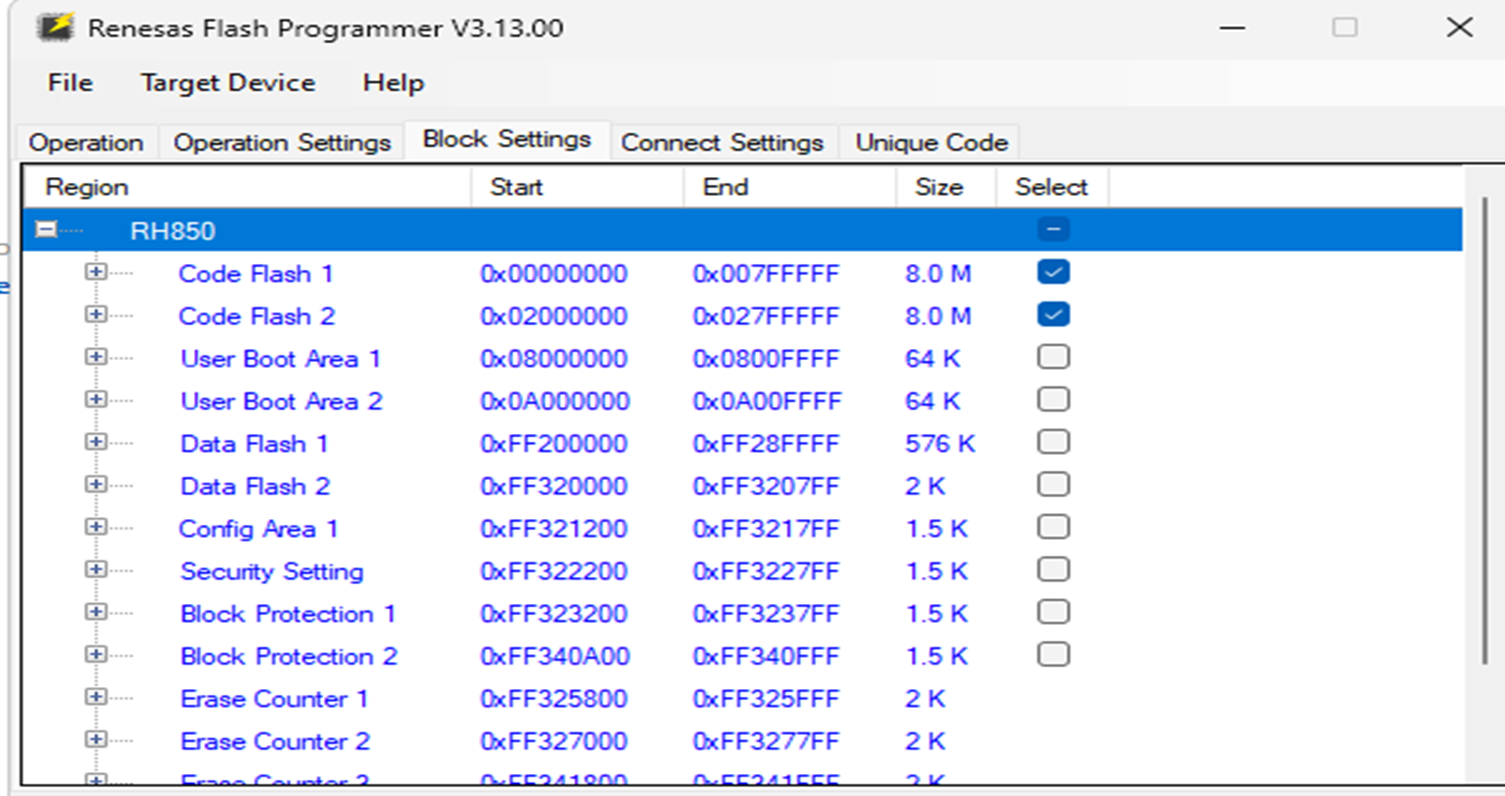
Update the Block settings in the tool as below:
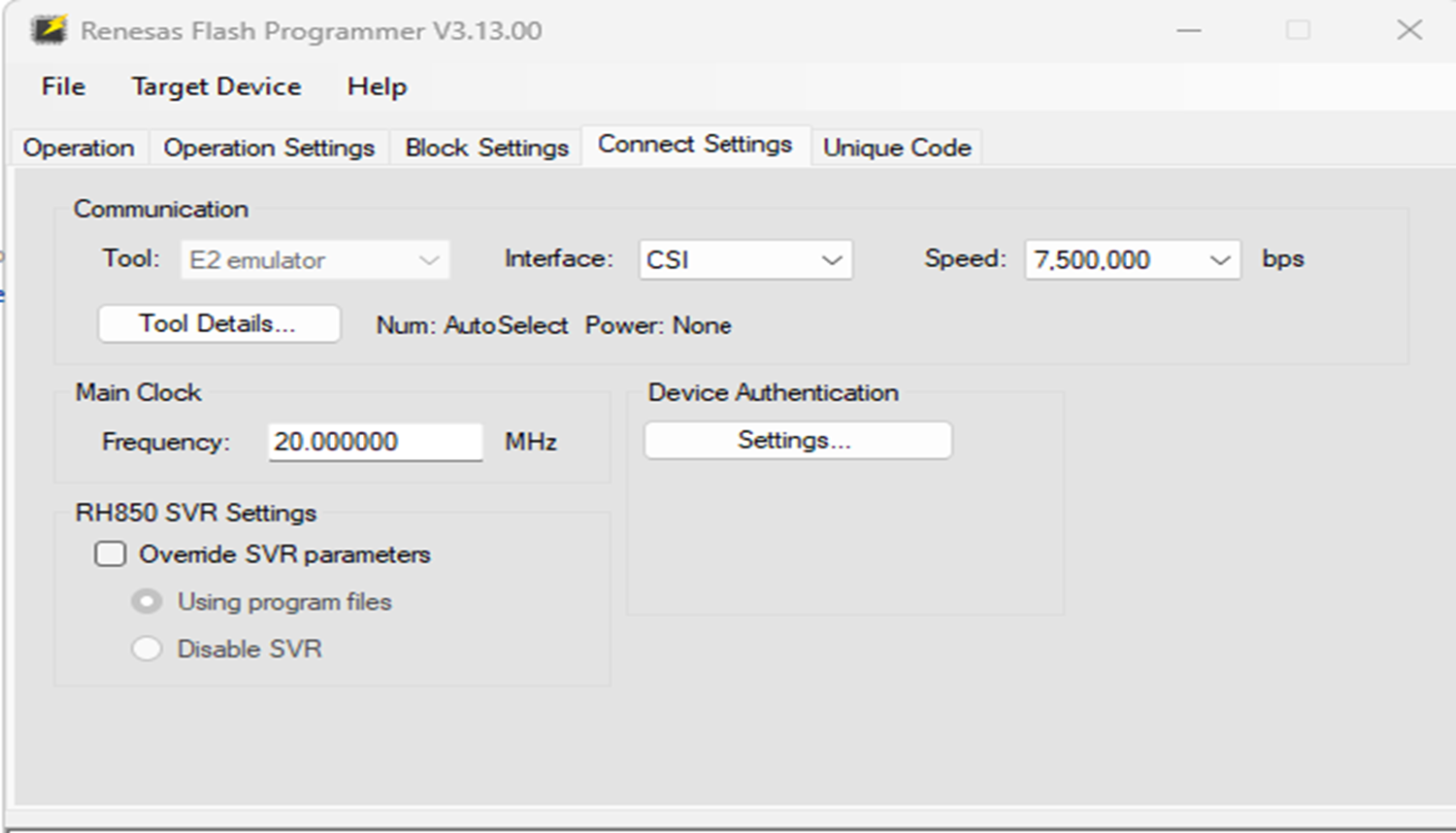
Update the Connect settings in the tool:
Upload the Hex file using add/remove files and click on Start to Flash :