
PVA Pre-processing#
Introduction#
The PVA preprocessing function demonstrates how to use PVA to perform preprocessing tasks in car detection to off-load the GPU resources.
It includes instructions on how to compile and deploy the PVA operators and how to enable the PVA function.
Dataflow
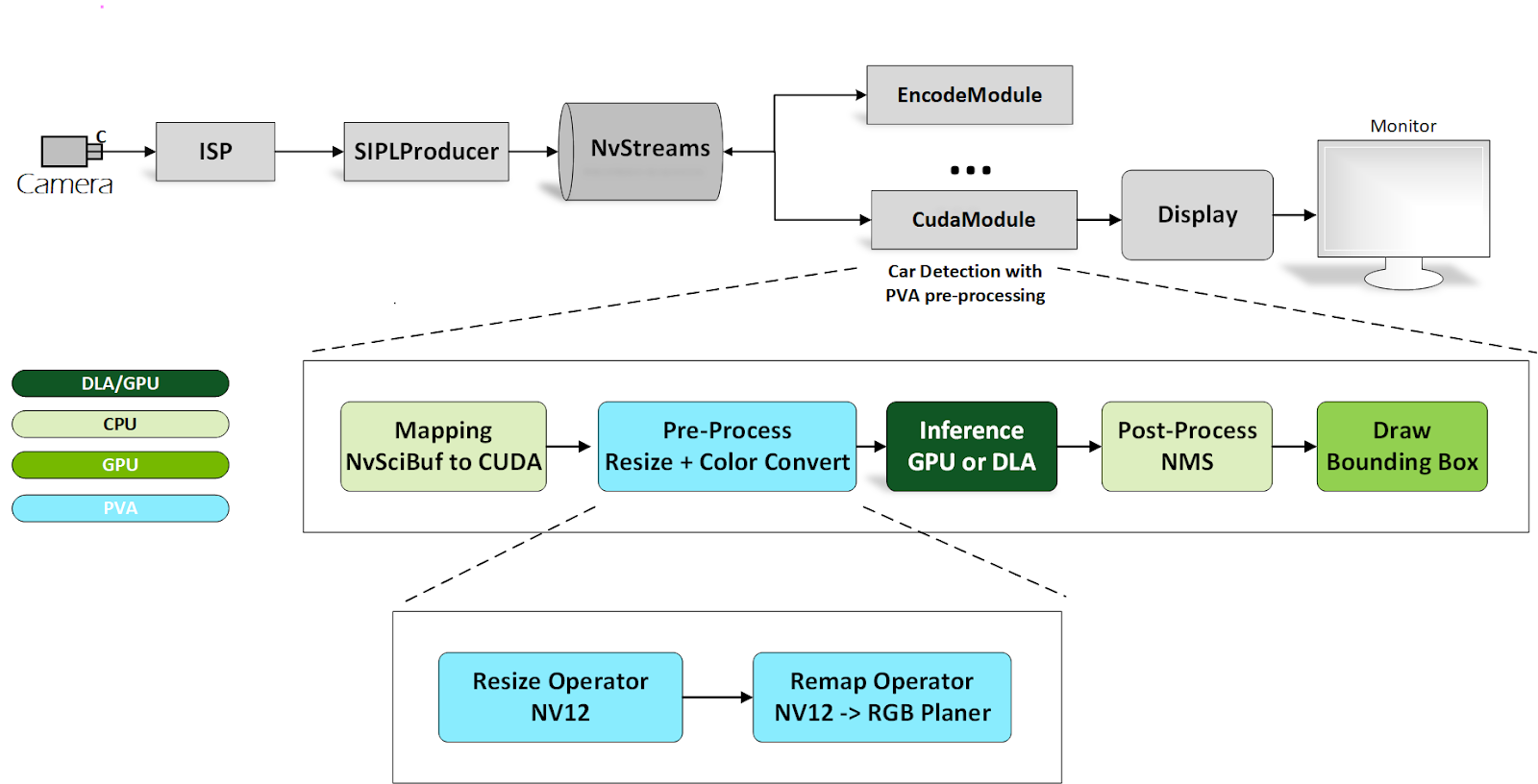
The data flow is similar to that of car detection. The main difference is that pre-processing is performed in the PVA engine. If the input image is in block linear memory layout, the conversion from block linear to pitch linear is necessary and can occur in the GPU by running a specific CUDA kernel. After processing by the resize operator and the remap operator, the result is fed into the GPU or DLA for inference.
To use the PVA preprocessing feature, complete the following steps:
Confirm car detection and the PVA function are enabled in
nvsipl_multicast.Set
NV_BUILD_CARDETECT = 1in the Makefile and build the application.Copy the following files to the target machine:
boundingBox.map, XY_FixPtMap.raw, XY_UV_FixPtMap.raw,
XY_FixPtMap_Resize.raw, XY_UV_FixPtMap_Resize.raw,
libcupva_host.so.2.6, and libpva_pre_lib.so
Ensure that
libcupva_host.so.2.6,libpva_pre_lib.so, and thenvsipl_multicastbinary are in the same folder.Enable PVA Authority:
echo 0 | sudo tee /sys/kernel/debug/pva0/vpu_app_authentication
Run the
nvsipl_multicastsample.
Constraints#
PVA authority is required to enable this feature.
To be consistent with map file requirements, PVA requires input resolution of 3840x2160. For other resolution requirements, contact your NVIDIA representative.
PVA preprocessing in this pipeline can only process block linear layout data.