
Image Pyramid#
The Image Pyramid API provides functionality to create multi-scale representations of images. It generates a pyramid of images, and each level represents the image at a different scale.
Overview#
Input
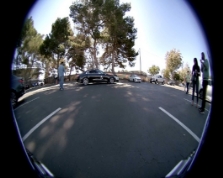
Parameters
./pva_algos_test_exec \
  --algo 0 \
  --width 1920 --height 1080 \
  --nLevel 3 --InPath "/logs/psaketh/data/InputImage_0.yuv" \
  --OutPath "/logs/psaketh/data" \
  --ref_test 1 \
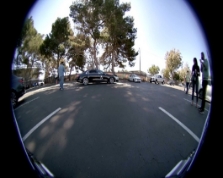
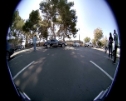
Output

Implementation#
The API creates a pyramid of images, where each subsequent level is a downscaled version of the previous level.
The number of pyramid levels can be specified, with a range of 3 to 6 levels.
The input image dimensions must be within the range of 512x512 to 4096x4096 pixels.
The algorithm likely uses Gaussian filtering for downscaling.
Usage#
For a list of limitations, constraints, and backend processes that implement the algorithm, consult the reference documentation for the following functions:
Function |
Description |
|---|---|
pvaAlgosImagePyramidGetContext |
Initialize the context object. |
pvaAlgosImagePyramidInit |
Set up the Image Pyramid with given configuration. |
pvaAlgosImagePyramidProcess |
Process an image to create the pyramid. |
pvaAlgosImagePyramidDeInit |
Clean up resources. |
./pva_algos_test_exec –algo 0 –width 1920 –height 1080 –nLevel 5 \
–InPath “pva_algos_test/data/InputImage_0.yuv” –OutPath \
“pva_algos_test/data” –ref_test 1
Object Detector Variables:
--algo- Use value 0 for image pyramid--width- Input image width Range:[512,4096] for level 6 and [258,4096] for other levels.--height- Input image height Range:[512,4096] for level 6 and [450,4096] for other levels.--InPath- Input image YUV file name with path--OutPath- Output path for results--nLevel- number of levels of image pyramid to be created Range : [3,6]--ref_test- If this is set as one , output will be compared against golden reference Note that ref_test command only works for the command given above with the same input image. In other cases, where the input image is different, this ref_test will not work.
Performance
Parameters |
Time |
|---|---|
0.5 mp image 5 level |
< 500us |
Note
PVA has two VPUs. The numbers provided above are for one VPU and can be scaled linearly when using two VPUs.
Sample Usage
pvaAlgosImagePyramidContext_t imagePyramidContext;

pvaAlgosImagePyramidConfig_t imagePyramidParams;

pvaAlgosImagePyramidIOBuffer_t imagePyramidBuffers;

// Initialize context
pvaAlgosImagePyramidGetContext(&imagePyramidContext);

// Set up parameters
imagePyramidParams.width = 1920;
imagePyramidParams.height = 1080;
imagePyramidParams.numLevels = 4;

// Initialize image pyramid
pvaAlgosImagePyramidInit(&imagePyramidContext, &imagePyramidParams);

// Allocate and set up I/O buffers
for (int i = 0; i < imagePyramidParams.numLevels; i++) {
    uint32_t levelWidth = imagePyramidParams.width >> i;
    uint32_t levelHeight = imagePyramidParams.height >> i;
    CupvaMemAlloc((void **)&imagePyramidBuffers.pyrDevice[i], levelWidth * levelHeight, CUPVA_READ_WRITE, CUPVA_ALLOC_DRAM);
}

// Process frame
cupvaStream_t instanceStream;
CupvaStreamCreate(&instanceStream, CUPVA_PVA0, CUPVA_VPU0);
pvaAlgosImagePyramidProcess(&imagePyramidContext, &imagePyramidBuffers, &instanceStream, 100000);

// Wait for processing to complete
cupvaSyncObj_t postSync;
CupvaSyncObjCreate(&postSync, true, CUPVA_SIGNALER, CUPVA_SYNC_YIELD);
cupvaFence_t postFence;
CupvaFenceInit(&postFence, postSync);
cupvaCmd_t cmdFenceReq;
CupvaCmdRequestFencesInit(&cmdFenceReq, &postFence, 1);
CupvaStreamSubmit(instanceStream, &cmdFenceReq, NULL, 1, CUPVA_IN_ORDER, 100000, 100000);
bool fenceWaitStatus;
CupvaFenceWait(&postFence, -1, &fenceWaitStatus);

// Clean up
pvaAlgosImagePyramidDeInit(&imagePyramidContext);
for (int i = 0; i < imagePyramidParams.numLevels; i++) {
    CupvaMemFree(imagePyramidBuffers.pyrDevice[i]);
}
CupvaStreamDestroy(instanceStream);
CupvaSyncObjDestroy(postSync);
For additional information, refer to the API documentation and sample applications provided with the PVA Algorithms package.