
SIPL Multi Instances#
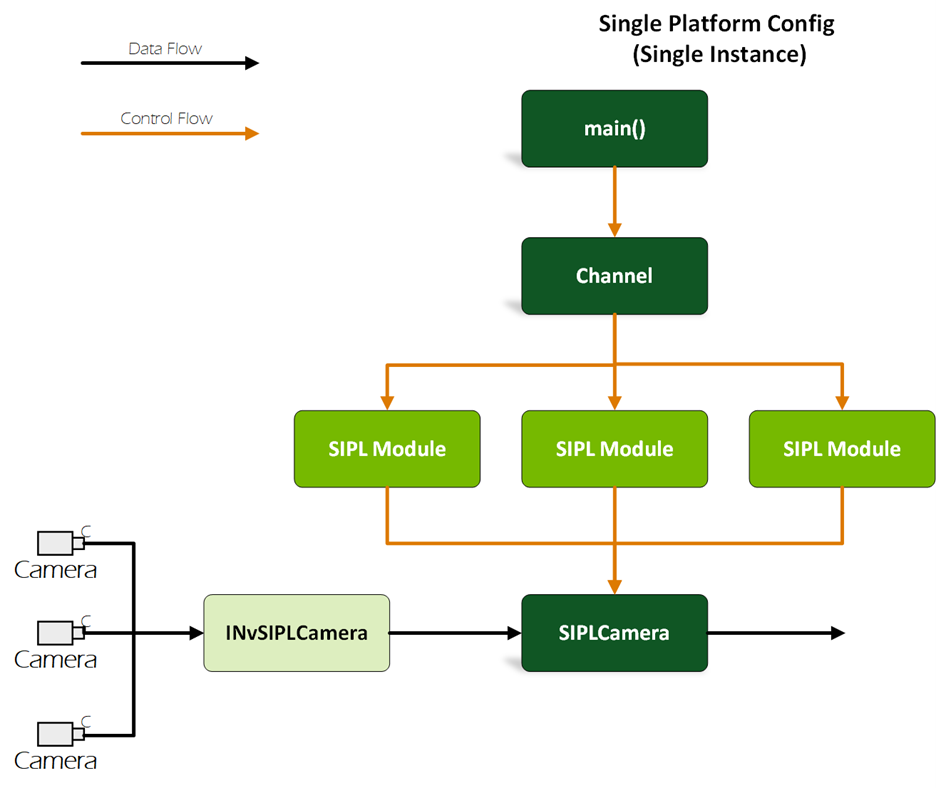
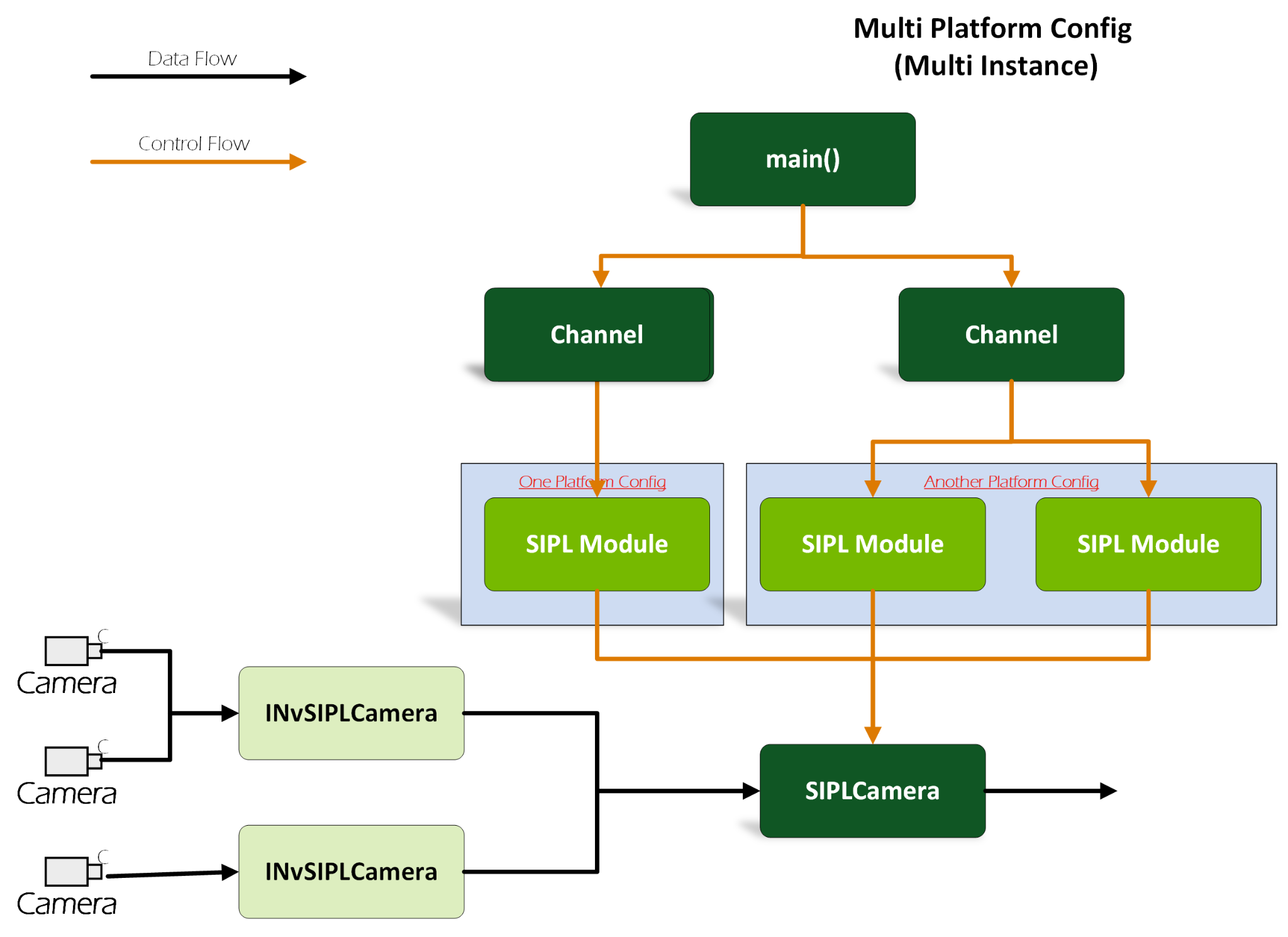
The nvsipl_multicast application supports creating multiple INvSIPLCamera instances via creating mulitple channels.
Different INvSIPLCamera instances manage different camera modules groups, which can start or stop at different times.
Functionality and Behavior#
Supports launching different camera modules defined in the dynamic platform configuration using the following command (using multiple
-cand-mparameters):Dynamic platform configurations:
./nvsipl_multicast -c SG3_ISX031_H190X_YUV_8_CPHY_x4 -m "1 0 0 0" -p "cuda" \
                   -c R0SIM728S2RU2120NB1_MAX96724_CPHY_x4 -m "0 0 1" -p "cuda"
Static platform configurations:
./nvsipl_multicast -t SG3_ISX031_H190X_YUV_8_CPHY_x2 -p "cuda" \
                   -t R0SIM728S2RU2120NB1_MAX96724_CPHY_x4 -p "cuda"
Note
It is not possible to use both dynamic and static platform configurations simultaneously.
Note
Multiple channels are only supported in intra-process scenarios.
Note
Multiple channels cannot be created using the same platform configuration name. If camera modules share the same configuration, group them into one channel.
Supports quick-starting cameras independently by launching different platform configurations at different times.
Supports restarting cameras with different platform configurations independently, without affecting others.
Control Flow#
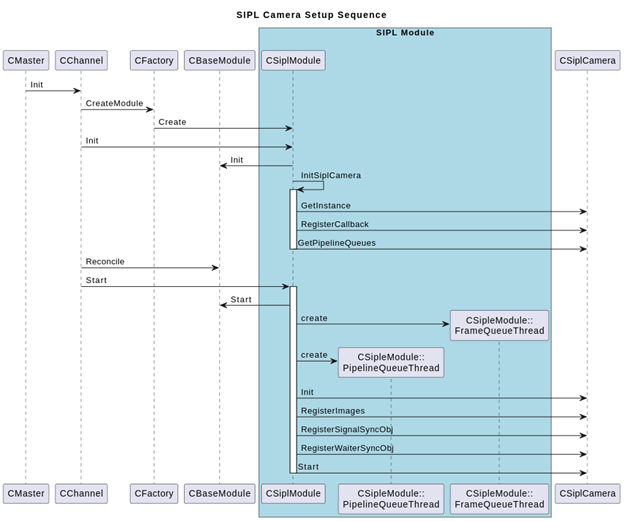
The following diagram shows the SIPL multi-instance control flow:
Data Flow#
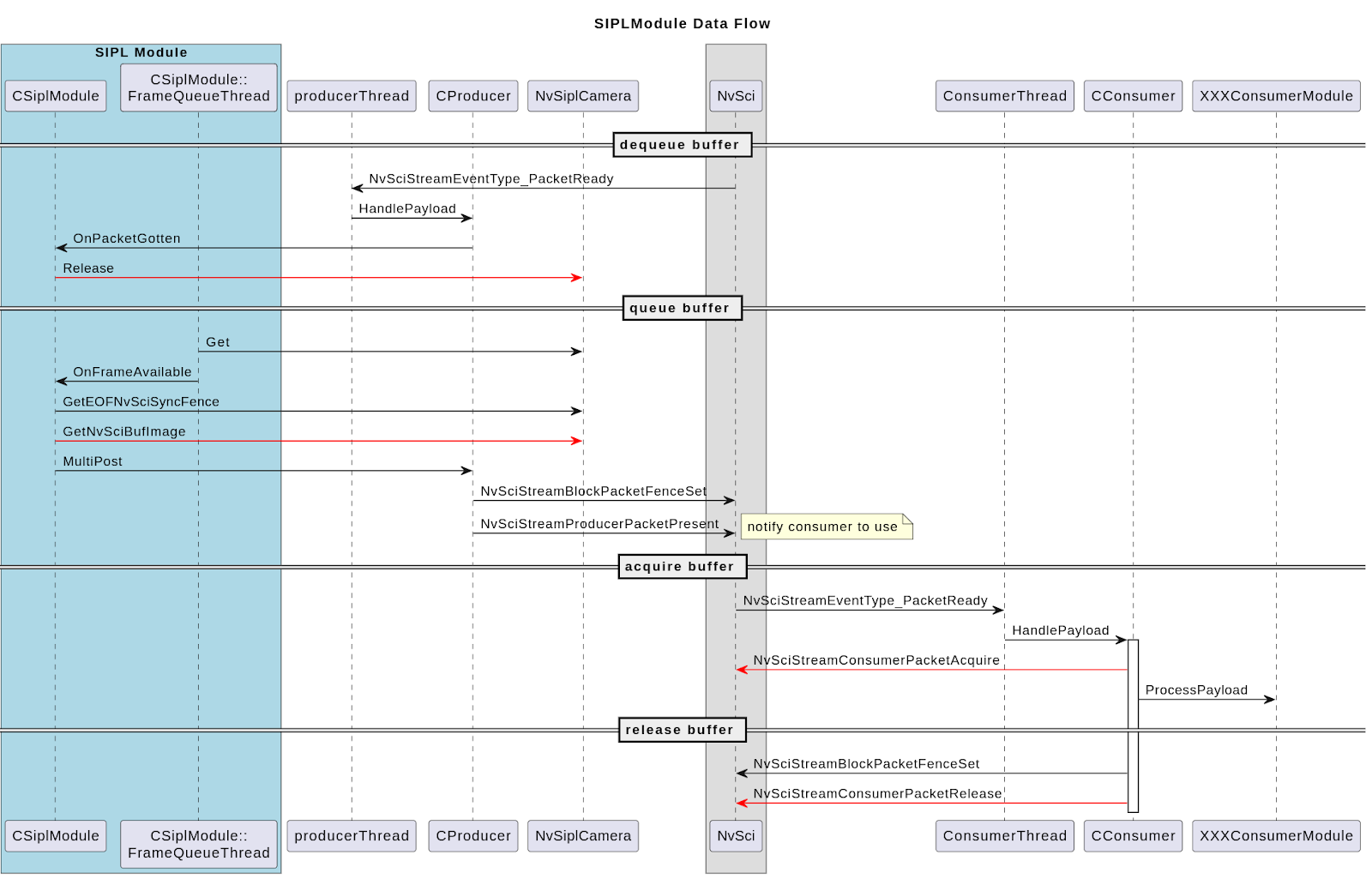
The following diagram illustrates the SIPL multi-instance data flow:
Error Handling#
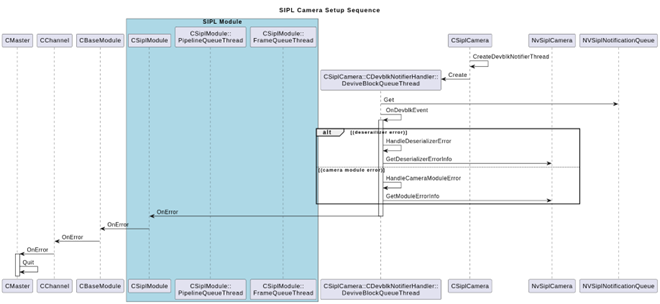
The SIPL DevblkNotificationHandler receives notifications from the SIPLNotificationQueue and retrieves deserializer or camera module-related error information from NvSiplCamera. Then, the OnError callback is triggered from CSIPLModule to CChannel and CManager.
Constraints#
The SIPL module supports only separate instances of camera modules in different groups. It cannot create multiple instances within a single group.
The encoder module requires input data in YUV420SP block linear format. If using a YUV camera, convert the data from pitch linear to block linear before sending it to the encoder.