DirectX 12 Agility SDK
The DirectX 12 Agility SDK is Microsoft’s delivery mechanism for evolving DirectX 12, allowing developers to access new graphics features and API improvements independently of Windows OS releases. Through the Agility SDK, developers can adopt the latest advances in areas such as ray tracing, shader compilation, and GPU-driven rendering as soon as they are available, while continuing to target a broad range of Windows versions. Through the Agility SDK, developers can access the latest APIs for ray tracing, AI in graphics, shader compilation, and more—enabling developers to build photorealistic visuals—and new gameplay mechanics with improved runtime performance.
D3D12 Opacity Micromaps
DirectX Raytracing (DXR) now supports Opacity Micromaps (OMMs), enabling hardware to handle alpha-tested geometry more efficiently than relying only on costly any-hit shader invocations.
D3D12 Shader Execution Reordering
Shader Execution Reordering (SER) is an addition to DirectX Raytracing that enables application shader code to inform hardware how to find coherency across rays so they can be sorted to execute better in parallel.
Evolving DirectX for the ML Era on Windows
DirectX Linear Algebra and DirectX Compute Graph Compiler allows developers to integrate and accelerate shader and model-level ML into games.
Advanced Shader Delivery: What’s New at GDC 2026
Advanced shader delivery distributes precompiled shaders when downloading a game, eliminating in-game shader compilation stutter and long load times.
DXR 1.2 Ray-Tracing APIs
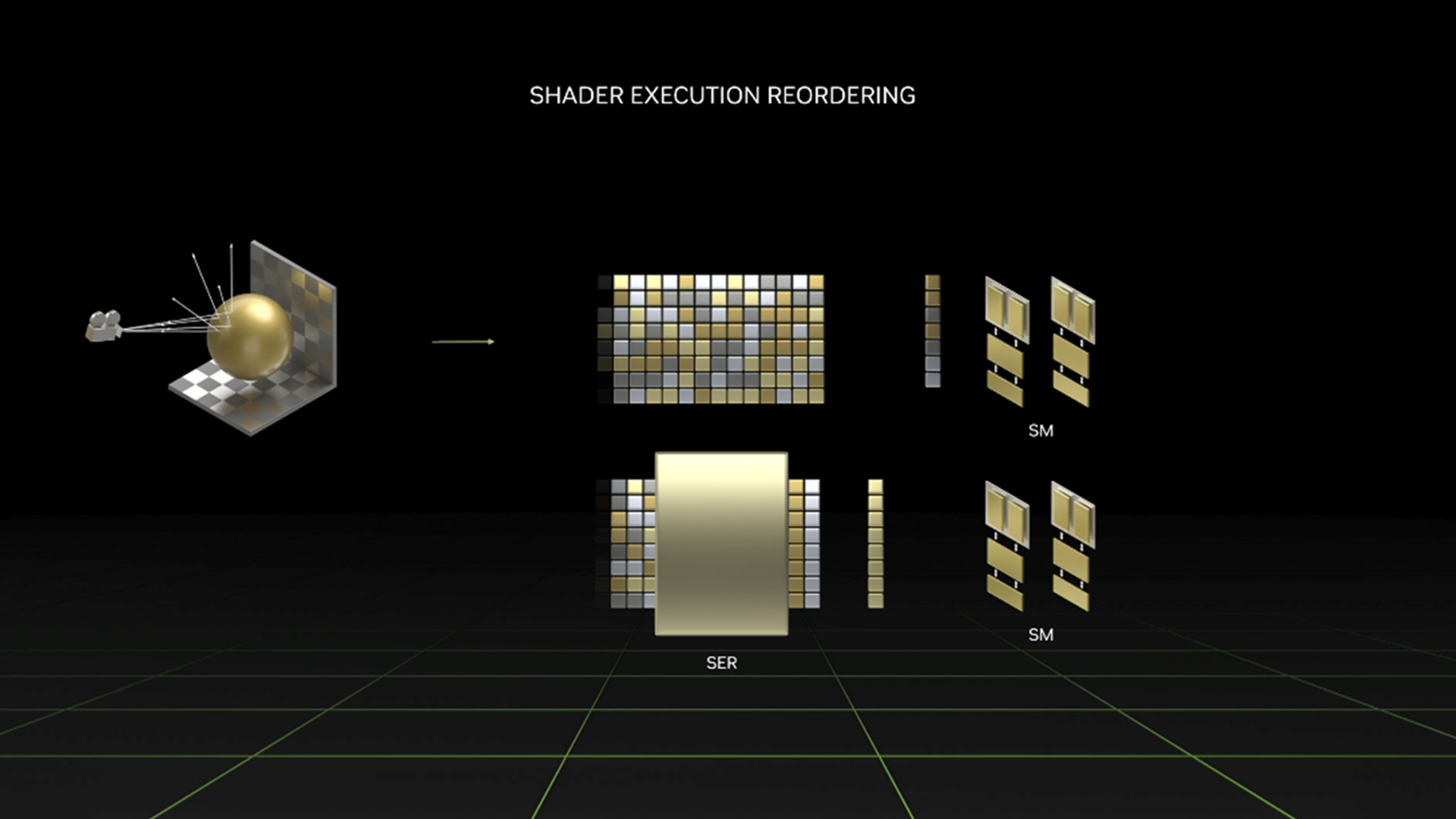
Shader Execution Reordering 2.0
Shader Execution Reordering (SER) is a performance optimization that unlocks the potential for better execution and memory coherence in ray-tracing shaders. SER allows applications to easily reorder threads on the GPU, reducing the divergence effects that occur in particularly challenging ray-tracing workloads like path tracing.
Case Study on Path Tracing OptimizationOpacity MicroMaps
With Opacity MicroMaps (OMMs), you can more efficiently map intricate geometries onto triangles. This technology encodes the opacity of micro-triangles and makes it possible to path trace, at high performance, extremely detailed scene elements such as vegetation and foliage.
AI Inference APIs
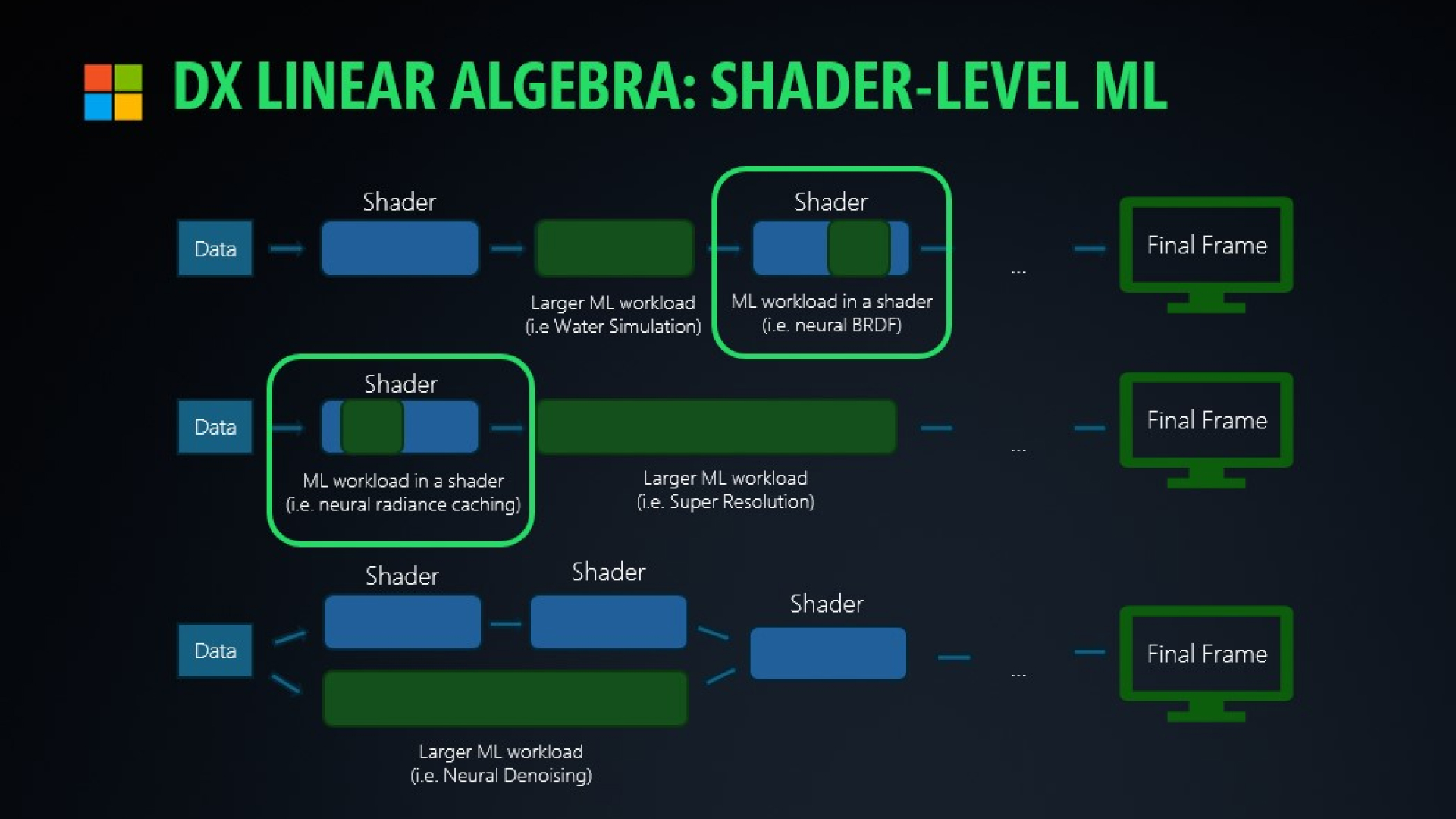
DirectX Linear Algebra
DirectX Linear Algebra accelerates tiny neural networks within shaders with Tensor Cores. This enables AI representations of textures and materials with higher visual fidelity and lower VRAM usage at real-time performance.
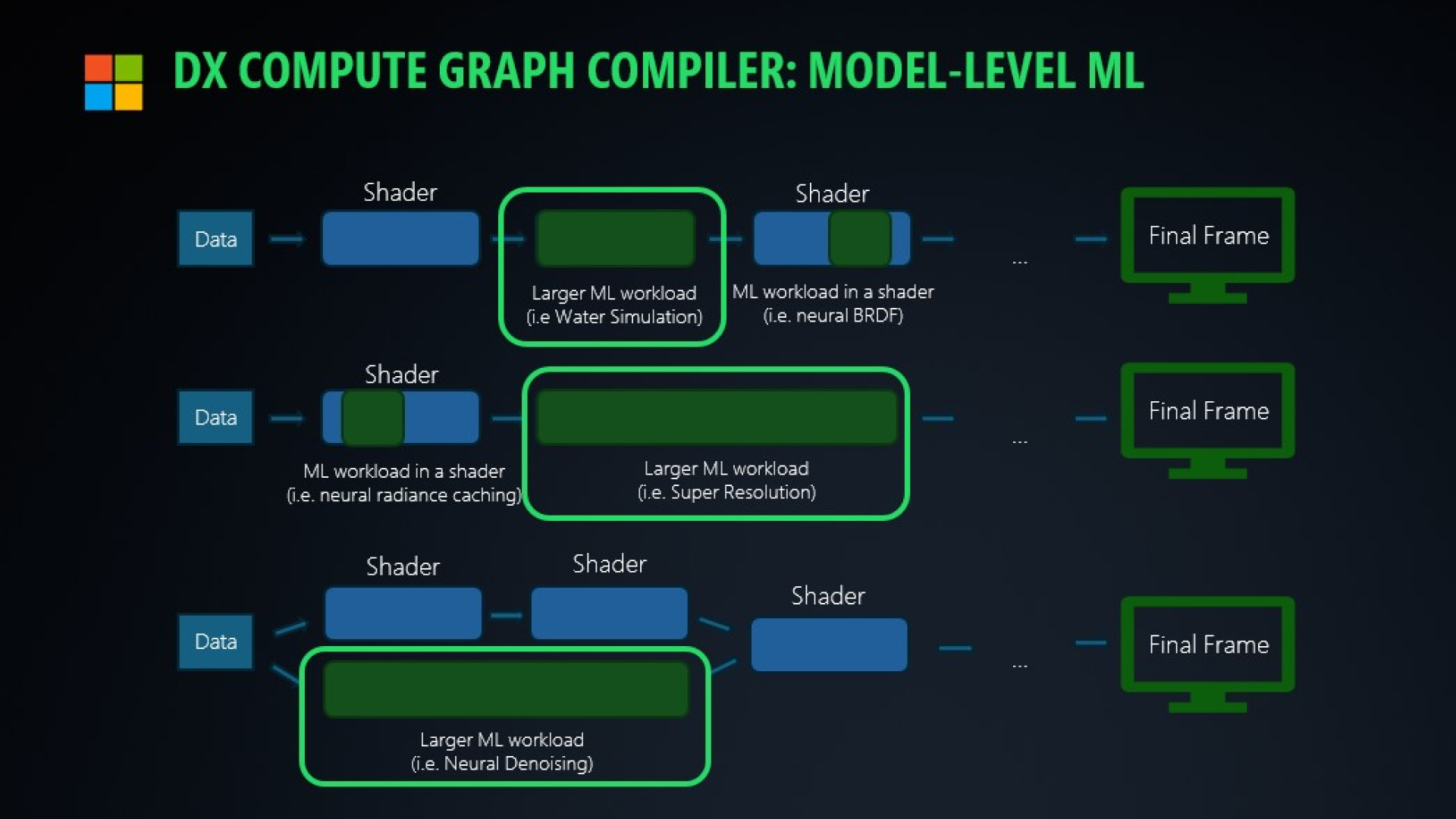
DirectX Compute Graph Compiler
DirectX Compute Graph Compiler specializes kernels, scheduling, and memory planning for large AI models such as LLMs to accelerate and execute inference in context with game graphics.
Shader Delivery API
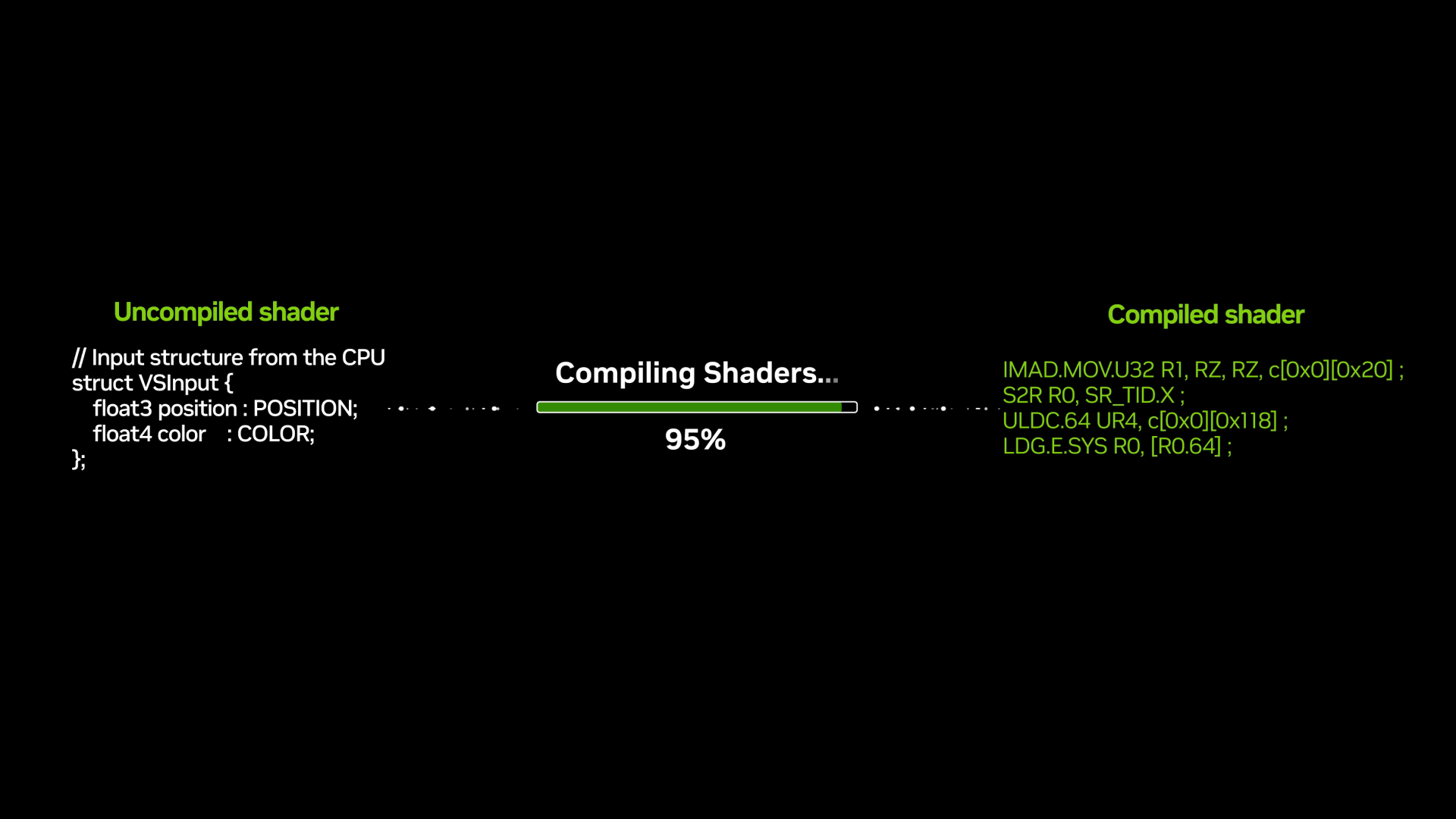
Advanced Shader Delivery
Advanced shader delivery is a new feature that distributes precompiled shaders when downloading a game, eliminating in-game shader compilation stutter and long load times. This solves one of the biggest pain points in PC gaming today, making it easier than ever to deliver a console-quality experience on Windows.
Learn MoreMore Developer Resources


Get started with DirectX today.